
Shopify Video Ad Generator from Product Photos
Turn Shopify Product Photos Into Talking Video Ads
Upload a Shopify product photo, describe your product, and generate short UGC-style video ads for TikTok, Instagram, Facebook, and Google.
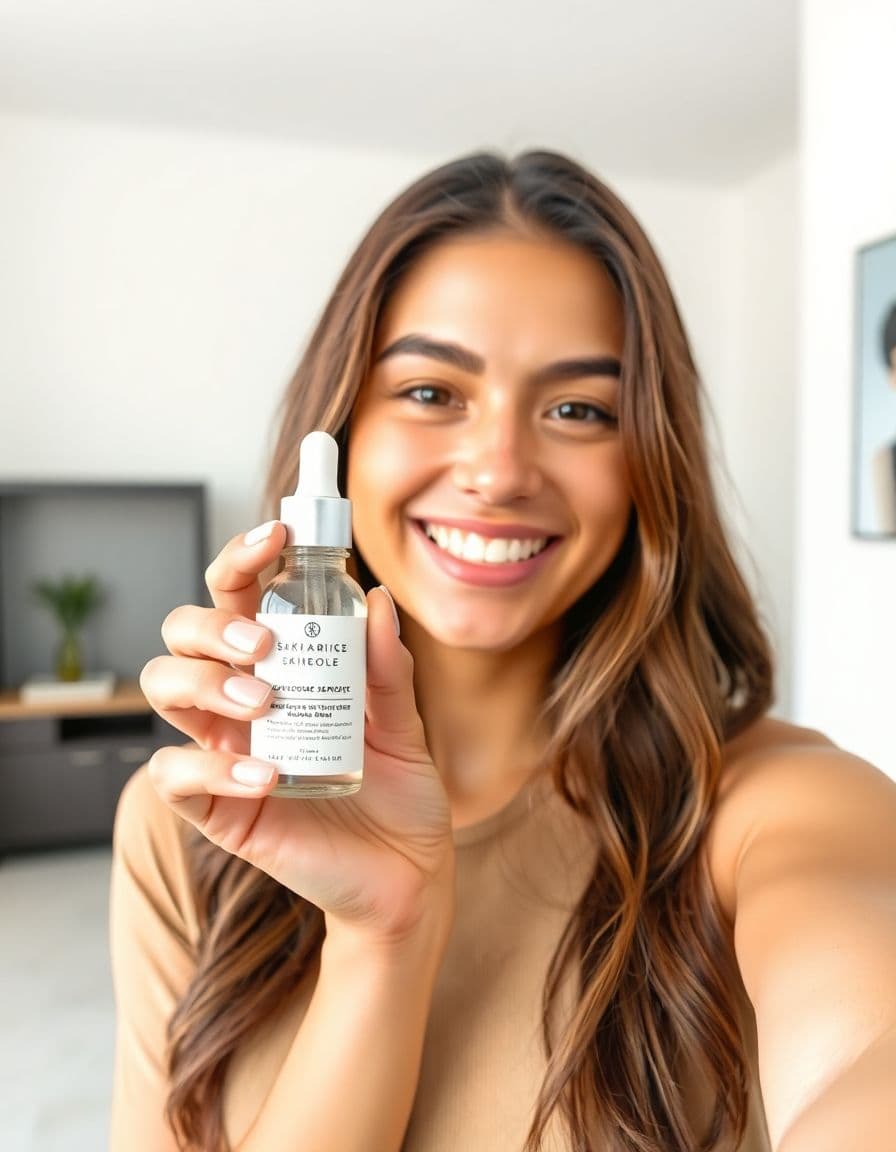
A creator showing a skincare product
AI voice · vertical
Real examples
See generated videos before you start. View.
No watermark
Paid exports are clean and ready to download.
Commercial use
Subject to your input rights and our Terms.
Refund unused credits
Failed renders auto-refund too.
Stripe checkout
Secure USD card payments.
Review before publishing
Treat every generated ad as a creative draft
- Compare the product, packaging, labels, colors, and proportions with your source photo.
- Use only prices, reviews, benefits, and performance claims you can substantiate.
- A generated example shows the workflow; it does not guarantee clicks, sales, or platform approval.
Before → after
From Product Photo to Talking Video Ad
Start with a static product photo and get back a short talking product ad — a real video creative you can run on TikTok, Reels, Facebook, and your product pages.
Before — product photo

After — talking product ad
A creator holding your product
AI voice · vertical
Examples
Talking product ads for every niche
Real outputs — a creator holding the product, from beauty and tech to fitness and gifts.
Handmade & gifts
AI voice · vertical
Beauty & skincare
AI voice · vertical
Fashion & accessories
AI voice · vertical
Home & decor
AI voice · vertical
AI creators
A creator for every product
Choose an AI creator to hold and present your product — no filming, no actors, nothing to ship. Just upload a product photo.





How it works
From product photo to ad in 3 steps
Step 1
Upload your product photo
Add a clear photo of the product you want to advertise.
Step 2
Add product details and choose a platform
A few lines about your product and where it will run — we write the script.
Step 3
Generate a talking product video ad
Render a UGC-style ad you can post to TikTok, Reels, Facebook, and more.
Use cases
Made for Shopify sellers
Product page videos
Add a talking video to any Shopify product page.
TikTok & Reels ads
Vertical 9:16 creatives for paid social.
Facebook & Instagram ads
Feed-ready ad videos from one photo.
Google & Shopping ads
Benefit-led product videos for search.
New product launches
Announce a drop with a ready-to-run ad.
Creative testing
Spin up more angles without filming.
Strategy
Plan better product video ads before you generate
Each product-ad page below is tailored to the channel or niche it serves, so sellers can match the creative to the way shoppers actually decide.
How to use video inside a Shopify store
Shopify sellers usually need two versions of product video: a product-page version that explains the item clearly, and an ad version that opens with a stronger hook. TalkPix lets you make both from the same product photo, then point each version at the right part of the funnel.
- Product page: answer size, use case, material, bundle, or gift questions quickly.
- Homepage or collection page: feature a bestseller with a short creator-style pitch.
- Paid social: lead with the problem, transformation, or offer instead of store branding.
- Email flows: reuse the MP4 in launch, cart recovery, winback, and post-purchase education.
Shopify ad spec checklist
Before generating, decide where the video will run. A product page clip can move more slowly and explain details, while a TikTok or Reels ad should earn attention in the first two seconds. Keep the message tight enough that the video still works without sound after captions are added.
- Use a vertical product image for paid social whenever possible.
- Keep most test ads between 8 and 15 seconds.
- Write the product name, buyer, key benefit, and offer in the product details field.
- Export the MP4 and add platform-native captions in your normal editing or posting tool.
Shopify hook examples to test
Shopify stores can test more angles when creating a new video no longer requires a new shoot. Use one product photo and rotate through objection, benefit, bundle, urgency, and founder-style hooks.
- The reason this product page converts better after shoppers see it in motion.
- If you are comparing [product] options, here is the detail that matters.
- This is the 10-second version of why customers keep coming back.
- A quick founder note on what makes this product different.
Shopify video ads: TalkPix vs. a monthly video app, Shopify Collabs, and an agency
Most Shopify stores reach for a subscription video app, a creator from Shopify Collabs, an agency, or their own camera — and each one trades cost, speed, and how much your real product actually shows up on screen. Here's an honest read on where TalkPix fits a DTC store, and where another route is the better call, so you can choose without buyer's remorse.
- Subscription AI video tools bill you every month and pile on top of the review, email, and upsell apps already on your Shopify plan — and they stop working the month you pause. TalkPix runs on one-time credit packs you buy once, so it never joins your recurring app bill and your credits never expire.
- Shopify Collabs and UGC creator marketplaces mean finding a creator, shipping the product, waiting days for delivery, and paying per clip — costs climb with every angle you test. TalkPix turns one product photo into a UGC-style talking ad in minutes, with no shipping and no per-clip fee.
- Agencies and DTC creative studios are strong for one big brand campaign, but they're slower and priced per project. TalkPix is the self-serve way to test more Meta and TikTok hooks yourself before you commit that kind of budget.
- DIY filming is authentic, but every SKU means lighting, shooting, and editing — which doesn't scale across a full catalog. TalkPix skips the camera, actors, and crew and works from the product image already sitting in your Shopify media library.
- The honest exception: if you need a specific creator's face or a genuine hands-on unboxing demo, a real UGC creator still wins. Reach for TalkPix when you want speed, volume, and your actual product on screen for a one-time cost.
Guides
Keep building your product-ad playbook
Shopify product video requirements
Current Shopify limits for size, format, length, resolution, themes, and product-media uploads.
Read guideProduct page video examples
Product page video examples — explainers, reviews, and comparisons to help shoppers understand an offer.
Read guideVideo ad specs for ecommerce
The essential specs for TikTok, Reels, product pages, and email — with a planning checklist.
Read guideProduct photo to video ads
A practical workflow for turning one product image into usable ad creative.
Read guideUGC hooks for product ads
Hook formulas for short product videos on TikTok, Reels, Shorts, and paid social.
Read guideAd styles
Pick an angle that converts
Customer reviews
Rated 4.9/5 across 10 reviews
Every rating is tied to a customer's completed video. Quotes are admin-approved and shown only with permission.
“Very good and realistic singing video”Michael
“Best lip sync ever! I like it too much”TalkPix customer
“Realistic lip sync! Best I have ever used until now”TalkPix customer
“Realistin lip sync tool, I like this!”TalkPix customer
“It turn out 85% real, & im happy”TalkPix customer
Pricing
Start with about five 10-second ads for $5
One credit system for everything on TalkPix — ads bill 1 credit per rendered second at 720p, so a 10-second ad is about 10 credits. Pay once in USD, no subscription required, and credits never expire.
Need more after your first video? Your first standard credit pack is 15% off, applied automatically at checkout within your first 24 hours.
No subscription required · Credits never expire · Buy whenever you need
Studio-specific credit rates · Talking Photo ≈10.0¢ per second at 720p
Mini — $5 USD adds 50 credits. This pack makes about:
~5
Product ad videos
10s each at 720p
~16
Product photos
6-25s
AI video · 720p
2-8 cr/s by model
~50s
Talking video
Or go monthly — same credits, less per credit
Credits added every paid month · cancel anytime
FAQ
Product-ad questions
Can I upload the MP4 directly to Shopify?
Yes. TalkPix gives you a downloadable MP4 that you can upload to Shopify product media, pages, blog posts, or sections that support video.
Is this only for Shopify ads?
No. The same video can be reused in product pages, organic social posts, email, paid social, and landing pages.
What should I include in the product details?
Include the buyer, product category, top benefit, offer, and any proof point you want the script to mention.
Do I need to install a Shopify app or connect my store to use this?
No. TalkPix isn't a Shopify app and never touches your store — nothing to install, no permissions to grant, and nothing added to your app stack. You upload a product photo, generate the UGC-style talking video ad, and download the HD MP4 to drop into Meta Ads Manager, TikTok, or a Shopify product page — so it fits your workflow without changing your store's setup.
Can I get the right size for each place my store runs it — product page, Reels, TikTok, and Google?
Yes. From the single product photo you upload, pick 9:16 for TikTok and Reels, 4:5 or 1:1 for the Facebook and Instagram feed, or 16:9 for a Shopify product page or a YouTube placement — the same creative sized for the surface you are filling, with no reshoot per channel. Each export is an HD MP4 with no watermark and commercial use included.
Will the video look fake next to the real product photography in my store?
It's built to read as a short, creator-style product presenter rather than a glossy spokesperson. Because the ad is generated from your actual product photo, it stays believable next to your store's own photos — keep the script accurate and specific and it avoids the over-scripted, generic feel.
Can it show my product being used, or just talk about it?
TalkPix builds a UGC-style talking video ad from the single product photo you upload — a creator-style presenter talks up the item and its benefits rather than filming it in use, new angles, or b-roll. On paid social, that talking-hook format is what earns the scroll-stop and the click through to your Shopify product page, so upload the clearest shot of the feature your script will lead with.
Can the ad push my discount code, sale, or free-shipping offer?
Yes — you write the script, so you can work in your current offer: a launch discount code, a free-shipping threshold, or a bundle deal. When the promo changes for the next drop or sale, update that line and regenerate from the same product photo — no reshoot and no new production when the offer changes.
Ready
Turn Shopify Product Photos Into Talking Video Ads
Turn one product photo into a short talking video ad. Test more hooks and find a better winning angle — no filming.
More product-ad tools