
Amazon Product Video Generator from Photos
Create Product Videos for Amazon Listings and Ads
Upload a product image, add key benefits, and generate short product videos — 16:9 for listings and Sponsored Brands, or 9:16 for off-Amazon social traffic.
A creator demoing a gadget
AI voice · vertical
Real examples
See generated videos before you start. View.
No watermark
Paid exports are clean and ready to download.
Commercial use
Subject to your input rights and our Terms.
Refund unused credits
Failed renders auto-refund too.
Stripe checkout
Secure USD card payments.
Review before publishing
Treat every generated ad as a creative draft
- Compare the product, packaging, labels, colors, and proportions with your source photo.
- Use only prices, reviews, benefits, and performance claims you can substantiate.
- A generated example shows the workflow; it does not guarantee clicks, sales, or platform approval.
Before → after
From Product Photo to Talking Video Ad
Start with a static product photo and get back a short talking product ad — a real video creative you can run on TikTok, Reels, Facebook, and your product pages.
Before — product photo

After — talking product ad
A creator holding your product
AI voice · vertical
Examples
Talking product ads for every niche
Real outputs — a creator holding the product, from beauty and tech to fitness and gifts.
Tech & gadgets
AI voice · vertical
Fitness & sports
AI voice · vertical
Home & decor
AI voice · vertical
Food & beverage
AI voice · vertical
AI creators
A creator for every product
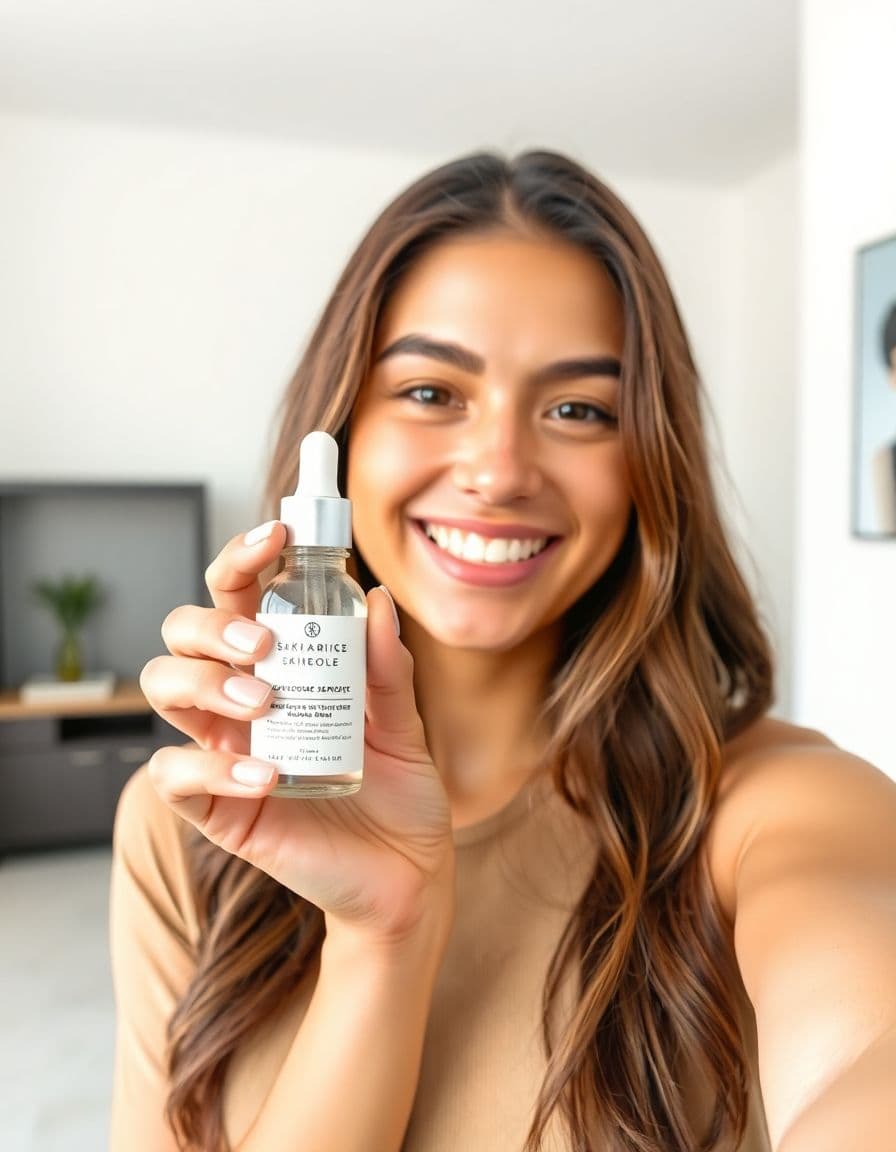
Choose an AI creator to hold and present your product — no filming, no actors, nothing to ship. Just upload a product photo.





How it works
From product photo to ad in 3 steps
Step 1
Upload your product photo
Add a clear photo of the product you want to advertise.
Step 2
Add product details and choose a platform
A few lines about your product and where it will run — we write the script.
Step 3
Generate a talking product video ad
Render a UGC-style ad you can post to TikTok, Reels, Facebook, and more.
Use cases
Made for Amazon sellers
Listing videos
Clear feature-benefit videos for your listing.
Product explainers
Explain how your product works and helps.
Feature-benefit demos
Turn key benefits into a talking demo.
Sponsored Brands video
Short video creatives for Amazon ads.
Practical-use videos
Show real, everyday use of the product.
Off-Amazon traffic
Drive external ads to your product page.
Strategy
Plan better product video ads before you generate
Each product-ad page below is tailored to the channel or niche it serves, so sellers can match the creative to the way shoppers actually decide.
What an Amazon product video should explain
Amazon shoppers compare quickly. A strong video should reduce doubt: what the product does, who it is for, why this version is better, and what detail is hard to understand from photos alone. TalkPix works best for concise benefit-led creative that supports your listing or off-Amazon traffic campaigns.
- Explain one primary benefit instead of listing every feature.
- Show why the product fits a specific use case or buyer.
- Call out size, compatibility, material, bundle contents, or setup if those drive questions.
- Keep claims accurate and aligned with your actual listing and marketplace policies.
Amazon seller workflow
Start with your best product image, then create separate videos for awareness, comparison, and retargeting. A Sponsored Brands-style creative may need a punchier opening than a listing explainer, while an off-Amazon video can speak more directly to a buyer problem before sending traffic to the product detail page.
- Listing explainer: focus on benefits and use cases.
- Sponsored creative: focus on a clear hook and fast product recognition.
- Off-Amazon traffic: address the problem before naming the product.
- Retargeting: answer the objection that stops shoppers from buying.
Amazon hook examples
The safest hooks are specific without making unsupported claims. Avoid exaggerated language and make the product benefit easy to verify.
- If you are comparing [category] options, check this feature first.
- Here is the simple reason this product belongs in your setup.
- Before you buy another [category], look for this detail.
- A quick walkthrough of what is included and how it helps.
TalkPix vs. UGC creators, subscription video tools, and filming your own Amazon ad
Amazon margins are thin once referral fees, FBA fees, and PPC come out, so most sellers don't want another monthly bill or a creator to manage just to add product video. And because FBA inventory sits inside Amazon's warehouses, hiring a UGC creator usually means buying a separate sample to mail and waiting days per clip. TalkPix works from the product photo already on your listing: one-time credit packs, pay once, credits never expire, and roughly 10 credits covers one UGC-style ad video.
- vs. UGC creator marketplaces and agencies: no pulling a unit from Amazon's warehouses or buying a separate sample to ship, no per-clip invoices, and no waiting on revisions — you generate from one listing photo in minutes and can use the ad commercially under our Terms, as long as you hold the rights to the product photo and brand.
- vs. subscription AI video tools: a monthly plan bills you through the quiet months between ASIN launches, while TalkPix credits are one-time and never expire — a pack can sit unused until your next launch or Q4 push.
- vs. stock AI avatars (HeyGen, Synthesia): those drop a generic presenter on screen with no connection to what you sell, but Amazon shoppers are sizing up the exact item on your detail page — TalkPix generates the ad from your real product photo, the same image already on your listing, rather than a face that has nothing to do with the product.
- vs. DIY filming: no light kit, camera, tripod, or crew, and no blocking out a weekend for a shoot — one listing photo becomes a finished ad, and swapping in a new version later costs credits from your pack, not another production day.
- Every export is an HD MP4 with no watermark and commercial use included, and you choose 16:9, 1:1, 4:5, or 9:16 before generating — so the same concept covers the Sponsored Brands slot and the off-Amazon Reels and TikTok traffic you send to the listing.
Guides
Keep building your product-ad playbook
Video ad specs for ecommerce
A spec checklist for TikTok, Reels, product pages, and email so every placement gets the right cut.
Read guideCost to make a product video ad
What each production route really costs, from DIY filming to UGC creators to AI from a photo.
Read guideProduct photo to video ads
A practical workflow for turning one product image into usable ad creative.
Read guideUGC hooks for product ads
Hook formulas for short product videos on TikTok, Reels, Shorts, and paid social.
Read guideAd styles
Pick an angle that converts
Customer reviews
Rated 4.9/5 across 10 reviews
Every rating is tied to a customer's completed video. Quotes are admin-approved and shown only with permission.
“Very good and realistic singing video”Michael
“Best lip sync ever! I like it too much”TalkPix customer
“Realistic lip sync! Best I have ever used until now”TalkPix customer
“Realistin lip sync tool, I like this!”TalkPix customer
“It turn out 85% real, & im happy”TalkPix customer
Pricing
Start with about five 10-second ads for $5
One credit system for everything on TalkPix — ads bill 1 credit per rendered second at 720p, so a 10-second ad is about 10 credits. Pay once in USD, no subscription required, and credits never expire.
Need more after your first video? Your first standard credit pack is 15% off, applied automatically at checkout within your first 24 hours.
No subscription required · Credits never expire · Buy whenever you need
Studio-specific credit rates · Talking Photo ≈10.0¢ per second at 720p
Mini — $5 USD adds 50 credits. This pack makes about:
~5
Product ad videos
10s each at 720p
~16
Product photos
6-25s
AI video · 720p
2-8 cr/s by model
~50s
Talking video
Or go monthly — same credits, less per credit
Credits added every paid month · cancel anytime
FAQ
Product-ad questions
Can I make a 16:9 video for my Amazon listing?
Yes. Pick Landscape 16:9 on the video-style step for listing and Sponsored Brands placements, or 9:16 for off-Amazon social traffic — the ad is composed in the shape you pick. Amazon currently expects landscape video for listings, so don't upload a vertical ad there.
Can I use the video on Amazon directly?
TalkPix exports an MP4. Use it where Amazon currently allows seller-uploaded or ad video assets, and always follow Amazon's latest creative and product claim policies.
Can this help with Amazon ads outside Amazon?
Yes. Many sellers use product videos for TikTok, Reels, YouTube Shorts, email, and landing pages that drive traffic to Amazon.
What product image should I upload?
Use the clearest image that shows the product and the feature or use case the script will discuss.
Can I make videos for international Amazon marketplaces in other languages?
Yes. TalkPix supports 10 languages and around 30 AI voices, so you can script a video in the buyer's language for marketplaces like Amazon.de, .fr, .es, or .it — or upload your own audio if you'd rather use a specific voice or accent.
I run a big catalog — does one credit pack stretch across many ASINs and variations?
Yes. Credits are one-time and never expire, and one video runs about 10 credits, so a single pack can cover a separate video for many ASINs — even a different cut per variation, since you just upload the photo for each color or size. You spend credits only as you generate, with no per-listing or per-seat subscription chipping away at thin Amazon margins.
Can I turn videos around fast enough for a Prime Day or Q4 deal event?
Yes — you generate from your existing listing photo in minutes with no creator to brief, so you can produce or refresh video in the days before Prime Day, Prime Big Deal Days, or Black Friday instead of booking a shoot weeks out. If a deal week's traffic isn't landing, regenerate a fresh angle mid-event rather than waiting on a reshoot.
My detail page already has infographics and lifestyle shots — is TalkPix a talking ad or an in-use demo?
It's a UGC-style talking ad: a creator-style presenter speaking about your product, built from your single listing photo — not hands-on footage of the item in motion or a step-by-step demo. It's the word-of-mouth layer next to the infographics and lifestyle images already in your carousel; for a true moving-parts demo you'd still film, but for the talking-recommendation angle TalkPix generates it from one photo.
Ready
Create Product Videos for Amazon Listings and Ads
Turn one product photo into a short talking video ad. Test more hooks and find a better winning angle — no filming.
More product-ad tools