
Customer Review Video Generator
Turn Real Customer Reviews Into Video Ads
Paste a real review from your store, add a product photo, and an AI creator reads it on camera — a fresh review video every time a happy customer writes one.
A real review, read on camera
AI voice · vertical
Real examples
See generated videos before you start. View.
No watermark
Paid exports are clean and ready to download.
Commercial use
Subject to your input rights and our Terms.
Refund unused credits
Failed renders auto-refund too.
Stripe checkout
Secure USD card payments.
Review before publishing
Treat every generated ad as a creative draft
- Compare the product, packaging, labels, colors, and proportions with your source photo.
- Use only prices, reviews, benefits, and performance claims you can substantiate.
- A generated example shows the workflow; it does not guarantee clicks, sales, or platform approval.
Before → after
From Product Photo to Talking Video Ad
Start with a static product photo and get back a short talking product ad — a real video creative you can run on TikTok, Reels, Facebook, and your product pages.
Before — product photo

After — talking product ad
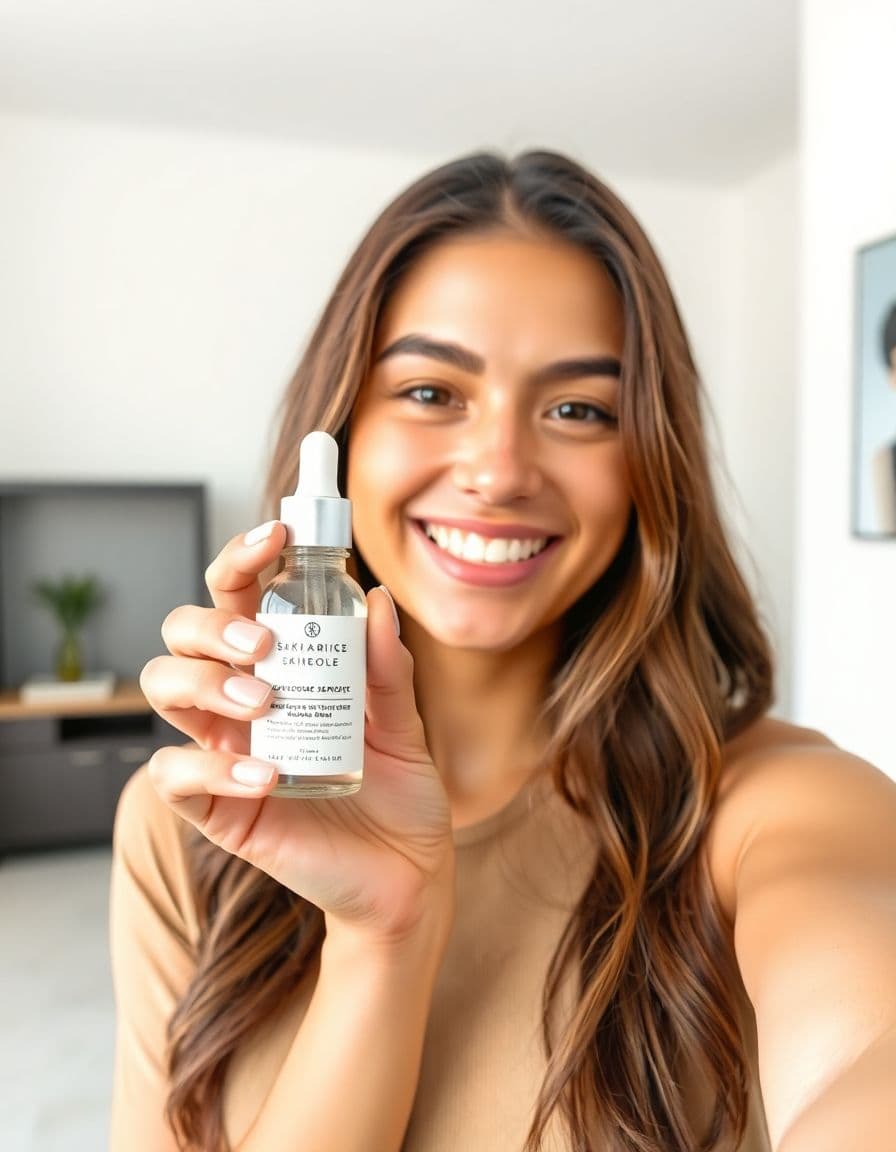
A creator holding your product
AI voice · vertical
Examples
Talking product ads for every niche
Real outputs — a creator holding the product, from beauty and tech to fitness and gifts.
Customer review
AI voice · vertical
Beauty & skincare
AI voice · vertical
Fashion & accessories
AI voice · vertical
Food & beverage
AI voice · vertical
AI creators
A creator for every product
Choose an AI creator to hold and present your product — no filming, no actors, nothing to ship. Just upload a product photo.





How it works
From product photo to ad in 3 steps
Step 1
Upload your product photo
Add a clear photo of the product you want to advertise.
Step 2
Add product details and choose a platform
A few lines about your product and where it will run — we write the script.
Step 3
Generate a talking product video ad
Render a UGC-style ad you can post to TikTok, Reels, Facebook, and more.
Use cases
Every good review becomes a creative
Review-of-the-week videos
Turn your latest 5-star review into a fresh ad — weekly.
Product page social proof
A talking review video next to your buy button.
TikTok & Reels testimonials
UGC-style review reads for paid social.
Your own store pages
Give your own store's reviews a face and a voice.
Email & retargeting
Drop review videos into flows and retargeting ads.
Ad-angle testing
Test different reviews to find the one that converts.
Strategy
Plan better product video ads before you generate
Each product-ad page below is tailored to the channel or niche it serves, so sellers can match the creative to the way shoppers actually decide.
Use real reviews as creative fuel
A written review is valuable because it uses the customer's language. A review video can make that proof easier to notice, but it must stay honest. Use TalkPix to present a real review clearly, with the product image and a script that keeps the meaning intact.
- Use reviews you have permission to feature.
- Do not invent a customer or imply the avatar is the actual reviewer unless true.
- Keep the strongest sentence from the review and cut filler.
- Match each review video to the product, audience, or objection it answers.
Where review videos work best
Review videos are especially useful near buying decisions. A product page can use them as social proof, while retargeting ads can use them to answer a specific objection. Email campaigns can rotate new review videos whenever a strong testimonial comes in.
- Product page: place near the buy button, review section, or gallery.
- Retargeting: feature a review that answers the most common hesitation.
- Email: turn review-of-the-week into a reusable content asset.
- Paid social: test short testimonial reads against standard product demos.
Review script examples
The strongest review videos often start with the outcome, then explain the product. Keep the customer's wording recognizable and avoid rewriting it into generic ad copy.
- A real customer said this was the first [category] that solved [problem].
- This review explains exactly why shoppers choose this product.
- If you are unsure about [objection], listen to what this customer noticed.
- Here is what one verified buyer wrote, in their own words.
Turning reviews you already own into video: TalkPix vs. subscriptions, UGC creators, and filming it yourself
A glowing written review is free social proof your customer already handed you — and a fresh 5-star one can land any week. The real question isn't whether a video helps, it's how to keep turning reviews into videos without a recurring bill, a per-clip creator fee, or an agency brief every single time. Here's how TalkPix compares to the usual ways stores put a testimonial on screen.
- vs. subscription AI tools: a monthly plan keeps charging whether or not a review worth featuring came in that month. TalkPix is a one-time credit pack (about 10 credits per video) and credits never expire, so you can bank them, then spin up several review videos, run them against each other, and keep the winner — no meter ticking while you wait for the next great testimonial.
- vs. stock AI avatars (HeyGen, Synthesia): those hand you a generic corporate presenter with no tie to what you sell. TalkPix builds the read around your actual product photo, so your product stays in frame as the focus while an AI creator voices the review — social proof for the exact item on your page, not an interchangeable spokesperson reading off a script.
- vs. UGC creator marketplaces: you already own the review text — the part a creator would otherwise script — so there's no shipping the product, waiting days for one deliverable, or paying per clip each time a fresh 5-star review lands.
- vs. a testimonial-video agency: no revision rounds and no invoice for what is essentially reading words a customer already wrote for you.
- vs. filming it yourself: no DMing a happy customer and hoping they record, no reading your own reviews awkwardly on camera — one tool voices them across roughly 30 AI voices in up to 10 languages, with no filming, actors, or crew.
Guides
Keep building your product-ad playbook
Product page video examples
Examples of explainer, review, and comparison videos that convert on ecommerce product pages.
Read guideProduct photo to video ads
A practical workflow for turning one product image into usable ad creative.
Read guideUGC hooks for product ads
Hook formulas for short product videos on TikTok, Reels, Shorts, and paid social.
Read guideAd styles
Pick an angle that converts
Customer reviews
Rated 4.9/5 across 10 reviews
Every rating is tied to a customer's completed video. Quotes are admin-approved and shown only with permission.
“Very good and realistic singing video”Michael
“Best lip sync ever! I like it too much”TalkPix customer
“Realistic lip sync! Best I have ever used until now”TalkPix customer
“Realistin lip sync tool, I like this!”TalkPix customer
“It turn out 85% real, & im happy”TalkPix customer
Pricing
Start with about five 10-second ads for $5
One credit system for everything on TalkPix — ads bill 1 credit per rendered second at 720p, so a 10-second ad is about 10 credits. Pay once in USD, no subscription required, and credits never expire.
Need more after your first video? Your first standard credit pack is 15% off, applied automatically at checkout within your first 24 hours.
No subscription required · Credits never expire · Buy whenever you need
Studio-specific credit rates · Talking Photo ≈10.0¢ per second at 720p
Mini — $5 USD adds 50 credits. This pack makes about:
~5
Product ad videos
10s each at 720p
~16
Product photos
6-25s
AI video · 720p
2-8 cr/s by model
~50s
Talking video
Or go monthly — same credits, less per credit
Credits added every paid month · cancel anytime
FAQ
Product-ad questions
Can I paste any customer review?
Use only reviews you have the right to reuse in marketing, and keep the message accurate to the original customer's meaning.
Does the video show the actual customer?
Not unless you upload and have permission to use that customer's image. Otherwise, present the video as an AI read of a written review.
What reviews should I turn into videos first?
Start with reviews that mention a clear outcome, answer an objection, or describe a use case better than your own product copy does.
Do I need the customer's permission to turn their review into a video?
Use only real reviews you are allowed to reuse, word for word, and present the video as an AI presenter reading a customer's review — never as the customer speaking. A review left on your own store can usually be quoted as you already quote it on the product page; a review on a marketplace or review site follows that site's reuse terms, so check them first. Never write, combine, or edit reviews into one that no customer gave.
Do I need to film or record anything to turn a review into a video?
No. A written review is just text with no footage attached, so filming was never on the table — TalkPix is what gives those words a voice and a face on screen. Paste the review, add your product photo, then script the read or upload your own audio, choosing from roughly 30 AI voices across 10 languages. No camera, actors, or crew.
Can I run a review video as a paid ad and put it back on the product it's reviewing?
Yes. Commercial use is included and every video exports as an HD MP4 with no watermark in the shape you pick — 9:16, 1:1, 4:5, or 16:9 — so the same review clip can run as a TikTok or Reels ad and then sit on the product page for the exact item the customer reviewed.
Can I turn an English review into a video in another language?
Yes. Script the read in any of 10 languages with around 30 AI voices, or upload your own audio for a specific read. That helps when your reviews and your buyers speak different languages, or when you're running the same testimonial across regions.
Does TalkPix rewrite my review or add its own claims?
No. You control the script, so it reads the words you paste — trim filler, keep the strongest line, and the customer's meaning stays intact. It won't invent a reviewer or a benefit. Captions aren't burned in automatically, so if a placement needs on-screen text, add it in your editor.
Ready
Turn Real Customer Reviews Into Video Ads
Turn one product photo into a short talking video ad. Test more hooks and find a better winning angle — no filming.
More product-ad tools