
AI Product Video Ad Generator for Ecommerce
Turn Product Photos Into Talking Video Ads
Upload a product photo, add a few details, and create UGC-style talking video ads for Shopify, Etsy, Amazon, TikTok Shop, and more.
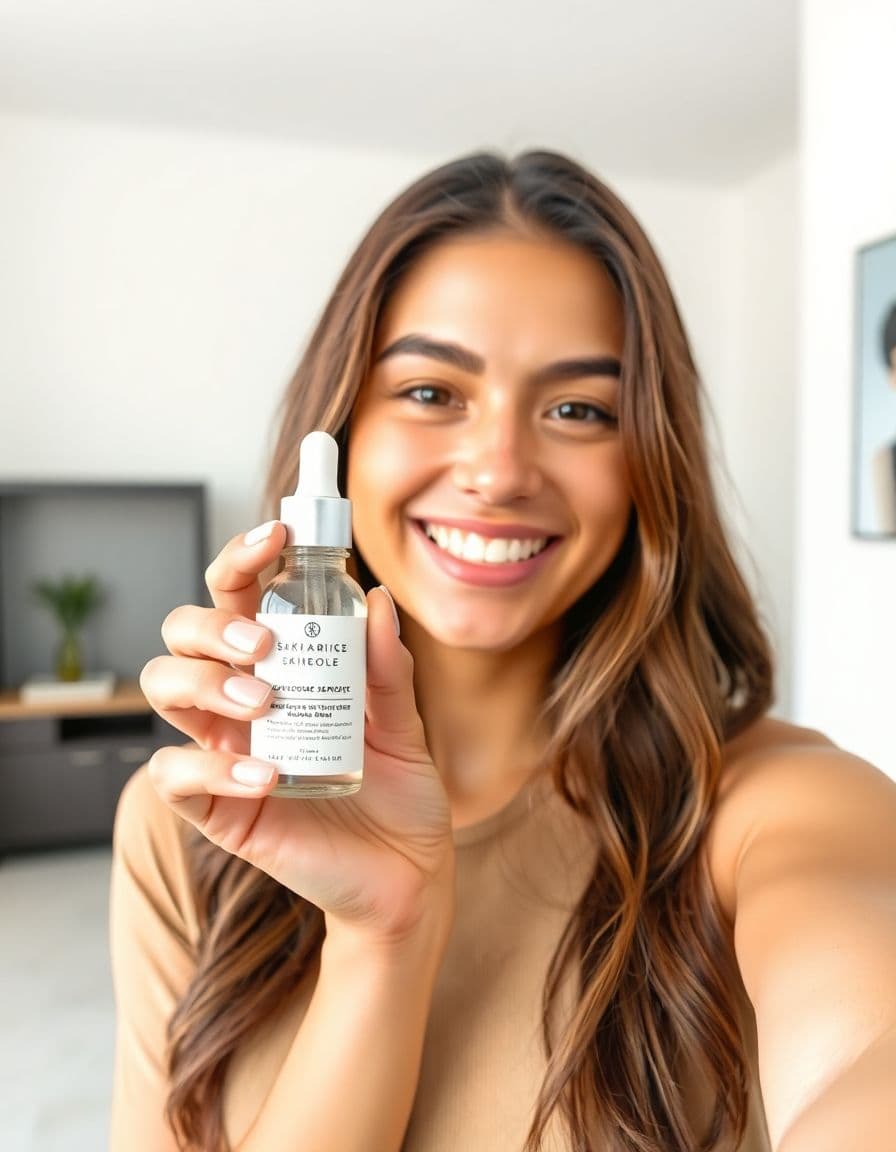
A creator holding your product
AI voice · vertical
Real examples
See generated videos before you start. View.
No watermark
Paid exports are clean and ready to download.
Commercial use
Subject to your input rights and our Terms.
Refund unused credits
Failed renders auto-refund too.
Stripe checkout
Secure USD card payments.
Review before publishing
Treat every generated ad as a creative draft
- Compare the product, packaging, labels, colors, and proportions with your source photo.
- Use only prices, reviews, benefits, and performance claims you can substantiate.
- A generated example shows the workflow; it does not guarantee clicks, sales, or platform approval.
Before → after
From Product Photo to Talking Video Ad
Start with a static product photo and get back a short talking product ad — a real video creative you can run on TikTok, Reels, Facebook, and your product pages.
Before — product photo

After — talking product ad
A creator holding your product
AI voice · vertical
Examples
Talking product ads for every niche
Real outputs — a creator holding the product, from beauty and tech to fitness and gifts.
Handmade & gifts
AI voice · vertical
Beauty & skincare
AI voice · vertical
Tech & gadgets
AI voice · vertical
Fashion & accessories
AI voice · vertical
AI creators
A creator for every product
Choose an AI creator to hold and present your product — no filming, no actors, nothing to ship. Just upload a product photo.





How it works
From product photo to ad in 3 steps
Step 1
Upload your product photo
Add a clear photo of the product you want to advertise.
Step 2
Add product details and choose a platform
A few lines about your product and where it will run — we write the script.
Step 3
Generate a talking product video ad
Render a UGC-style ad you can post to TikTok, Reels, Facebook, and more.
Use cases
Built for every e-commerce channel
Shopify Stores
Turn store photos into scroll-stopping product ads.
Etsy Sellers
Show handmade and gift products in short videos.
Amazon Products
Explain features and benefits from one image.
TikTok Shop
Fast, hook-driven ads for social commerce.
Dropshipping Ads
Test winning products with fresh creatives.
Instagram and Facebook Ads
Native feed and Reels ad creatives.
Strategy
Plan better product video ads before you generate
Each product-ad page below is tailored to the channel or niche it serves, so sellers can match the creative to the way shoppers actually decide.
Where ecommerce product videos create the most lift
A product video is strongest when it answers the question a static product photo leaves open: what is this, why should I care, and how would it fit into my life? Use TalkPix for the places where a short, benefit-led explanation can move a shopper forward without adding a full production process.
- Product pages: add a concise video near the image gallery or above the first long description.
- Paid social: test a hook-first version for TikTok, Instagram Reels, Facebook, and YouTube Shorts.
- Retargeting: turn a product benefit or customer objection into a fresh creative angle.
- Email and SMS: feature the video in launch, abandoned cart, and back-in-stock campaigns.
Product photo checklist before you generate
The cleaner the product image, the more believable the finished video ad feels. Start with a photo where the product is easy to recognize at mobile size, because most ad views happen in a fast scroll. If the item has packaging, texture, or a key feature, make sure that detail is visible before you upload.
- Use one main product per image unless the bundle is the offer.
- Avoid heavy reflections, hands covering the product, or tiny text as the main selling point.
- Crop for vertical creative when possible, especially for TikTok, Reels, and Shorts.
- Write two or three benefits before generating so the script stays specific.
Example ecommerce ad hooks
The best first line usually names the buyer, the problem, or the desired outcome. For a generic product page, avoid vague lines like 'check this out' and make the creative useful immediately.
- If you sell [category], this is the product page video I would test first.
- Here is the simplest way to explain why this product costs more than the cheap version.
- Three reasons customers add this to cart after seeing it in use.
- Stop making shoppers read the whole product page. Show them the benefit in ten seconds.
How TalkPix compares to your other ad-making options
There are a few ways to get a talking product-ad video, and each comes with real trade-offs on cost, speed, and control. Here's where TalkPix fits so you can pick what suits your budget and timeline.
- Subscription AI video tools bill you every month whether you post or not. TalkPix runs on one-time credit packs — pay once, and your credits never expire.
- Stock or generic AI avatars (HeyGen, Synthesia and the like) put a rented digital presenter on screen. TalkPix builds the ad from one real product photo, so the thing you're actually selling stays in frame.
- UGC creator marketplaces mean briefing a creator, shipping the product, waiting for delivery, and paying again for each clip. TalkPix turns your photo into a UGC-style talking ad in minutes — and you can regenerate variations without reshipping anything.
- DIY filming means lighting, shooting, recording, and editing yourself. TalkPix needs no camera, crew, or actors — you script it in one of 10 languages or upload your own audio.
- Because you generate from a photo instead of reshooting, you can spin up many hooks and angles from one product image — each extra version is just a few more credits, not a new shoot.
- Your finished ad is ready to run as-is — commercial use is included, and every export is a clean HD MP4 with no watermark.
Guides
Keep building your product-ad playbook
AI product video ads for small business
How to make product video ads from photos on a small-business budget — no studio or actors.
Read guideCost to make a product video ad
The full price ladder — DIY, freelancer, UGC creator, agency, and AI from a photo — with honest ranges.
Read guideProduct photo to video ads
A practical workflow for turning one product image into usable ad creative.
Read guideUGC hooks for product ads
Hook formulas for short product videos on TikTok, Reels, Shorts, and paid social.
Read guideAd styles
Pick an angle that converts
Customer reviews
Rated 4.9/5 across 10 reviews
Every rating is tied to a customer's completed video. Quotes are admin-approved and shown only with permission.
“Very good and realistic singing video”Michael
“Best lip sync ever! I like it too much”TalkPix customer
“Realistic lip sync! Best I have ever used until now”TalkPix customer
“Realistin lip sync tool, I like this!”TalkPix customer
“It turn out 85% real, & im happy”TalkPix customer
Pricing
Start with about five 10-second ads for $5
One credit system for everything on TalkPix — ads bill 1 credit per rendered second at 720p, so a 10-second ad is about 10 credits. Pay once in USD, no subscription required, and credits never expire.
Need more after your first video? Your first standard credit pack is 15% off, applied automatically at checkout within your first 24 hours.
No subscription required · Credits never expire · Buy whenever you need
Studio-specific credit rates · Talking Photo ≈10.0¢ per second at 720p
Mini — $5 USD adds 50 credits. This pack makes about:
~5
Product ad videos
10s each at 720p
~16
Product photos
6-25s
AI video · 720p
2-8 cr/s by model
~50s
Talking video
Or go monthly — same credits, less per credit
Credits added every paid month · cancel anytime
FAQ
Product-ad questions
Can I use one product photo for multiple ad versions?
Yes. Upload the same product photo and change the angle, hook, or platform details to generate different ad reads from the same source image.
Do I need a model or creator footage?
No. TalkPix is built for sellers who have product photos but do not have new creator footage, a studio, or a filming budget.
Where should I use the finished ecommerce video?
Use it on product pages, paid social, organic posts, email campaigns, retargeting, and landing pages where a short video can explain the offer faster than text.
How much does a TalkPix product ad cost, and is there a subscription?
There's no subscription required — TalkPix runs on one-time credit packs, so you can pay once without choosing a monthly plan. One ad video runs about 10 credits, and your credits never expire, so you only pay for the ads you actually make.
Is TalkPix cheaper than hiring a UGC creator?
Usually, yes. Creators typically charge a fee for every clip, so your costs climb each time you want another video. TalkPix uses one-time credits instead — a talking ad costs from just a few dollars in credits, there's no per-clip fee, and credits never expire, so a second or tenth ad doesn't add a recurring bill.
Can I use these videos in paid ads and sell with them commercially?
Yes. Commercial use is included, so you can run the videos on TikTok, Instagram, Facebook, YouTube, Amazon, or your product pages. Every export is an HD MP4 with no watermark.
What do I need to provide, and how long does it take?
Just one product photo. Add a script in any of 10 languages (about 30 AI voices to choose from) or upload your own audio, and you get a finished talking video ad in minutes — no filming, actors, camera, or editing.
What aspect ratios can I export for TikTok, Instagram, and YouTube?
You pick the shape before you generate: 9:16 for TikTok, Reels, and Stories, 4:5 or 1:1 for feed posts, and 16:9 for YouTube and landing pages. The scene is composed in that shape, so the finished MP4 really is that ratio — generate the same product again in another shape when a placement needs it.
Can I make the same product ad in different languages?
Yes. TalkPix can script and voice your ad in any of 10 languages, so a single product photo can become localized talking ads for several markets — with no separate shoot, translator, or voice actor for each region.
Ready
Turn Product Photos Into Talking Video Ads
Turn one product photo into a short talking video ad. Test more hooks and find a better winning angle — no filming.
More product-ad tools