Skip to content

Product Page Video Examples for Ecommerce
Ege Alp··Updated October 10, 2026
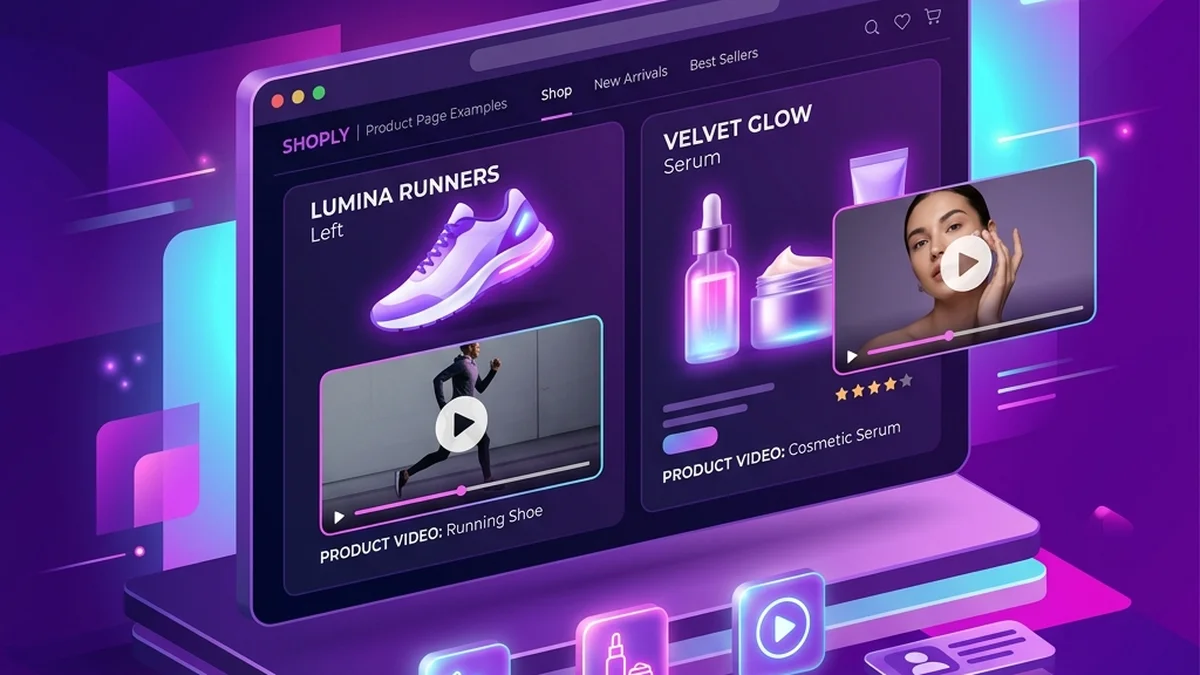
E-commerce web browser displaying high converting product page video examples

The most useful product page videos are short and practical: a quick explainer of what the product does, a comparison that points to the detail that matters, a read of a real customer review, or a gift-angle clip for seasonal items. A product page video does not need to be a full commercial; its job is to answer the first question a shopper has so the decision gets easier.

Use the product video ad generator to create the first version from a product photo, then place it next to your gallery.

What should a product page video do?

A product page video should help a shopper decide. It answers a question the photos cannot, such as what the product does, how big it really is, why it costs more than a lookalike, or who it suits. Unlike a social ad, it is watched by someone who is already interested, so it can be calmer and more explanatory as long as it stays focused on one point.

Before making one, list the questions that show up in your support inbox, reviews, and pre-sale messages. The most frequent question is usually the best script.

Which product page video examples work best?

Four formats cover most ecommerce products: the quick explainer, the comparison helper, the review proof, and the gift angle. Each matches a different shopper question, so pick the one that answers the question your product page currently leaves open, and add others later if the page still has gaps.

FormatUse it whenShopper question it answers
Quick explainerThe product is useful but not obvious from the imageWhat does it do?
Comparison helperShoppers weigh you against cheaper optionsWhy this one?
Review proofReviews explain the product better than your copyDoes it really work for people like me?
Gift angleJewelry, Etsy, print-on-demand, seasonal productsWho would love this?

1. The quick explainer

Use this when the product is useful but not obvious from the image.

Script idea: "This is a short explanation of what [product] does, who it is for, and the one benefit shoppers should know first."

2. The comparison helper

Use this when shoppers compare your product against cheaper or similar options. Point to a real, visible detail rather than criticizing another brand.

Script idea: "If you are comparing [category], check this feature first. It is the detail that changes how the product feels in daily use."

3. The review proof

Use this when reviews explain the product better than your own copy — the testimonial video scripts page has review-read formats you can adapt. Only use reviews real customers wrote.

Script idea: "A customer said this helped with [problem]. Here is the product they were talking about."

For this workflow, use the customer review video generator.

4. The gift angle

Use this for jewelry, Etsy, print-on-demand, and seasonal products. For jewelry specifically, the jewelry video ad generator page shows gift-angle scripts built for that niche.

Script idea: "A small gift idea for someone who loves [interest] and wants something personal."

How long should a product page video be?

Keep it as short as the answer allows, usually well under a minute and often just 10 to 20 seconds for a single point. A shopper on a product page is comparing options, so a video that gets to the point respects their time. If you have several questions to answer, make several short clips rather than one long one.

In TalkPix, a product ad script is capped at 300 characters, which naturally produces short clips, and each ad is billed by its real length at 1 credit per second at 720p. A 10-second explainer uses about 10 credits, and the exact cost is shown before rendering. See pricing for the one-time credit packs.

Which format and aspect ratio fit a product page?

Use the format your product page theme displays best. Landscape 16:9 suits wide desktop layouts and many Amazon-style listings, square 1:1 sits neatly inside most product galleries, and vertical 9:16 or 4:5 portrait works well on mobile-first stores and when the same clip also runs on social media.

TalkPix exports 720p MP4s in 9:16, 4:5, 1:1, and 16:9 without a TalkPix watermark, so you can render the gallery version and the social version from the same photo. For upload limits on each storefront, see the video ad specs for ecommerce.

How do product page videos differ by platform?

Different channels need different proof and pacing. A Shopify product page video can be slower and more explanatory, a TikTok Shop video needs a fast first line, an Amazon listing video should usually answer one clear buyer question, and an Etsy listing video tends to focus on craft, detail, and the gift moment.

A Shopify product page video follows slower pacing — the Shopify product video ad scripts show that style. Browse the platform example cluster:

For a single-category deep dive, the beauty product video ad examples show the same formats applied to one niche.

Create a product page video

Upload one product photo — get a UGC-style talking video ad, no filming needed.

Generate product video

Where should you place a video on a product page?

Place the video near the image gallery or just before dense product details, where shoppers look when they are deciding. If the video answers the first buyer question, it earns its spot; if it repeats what the photos already show, move it lower or replace it with a clip that answers something new.

Use a thumbnail frame where the product is clearly visible, and make sure the video works without sound, since many product pages autoplay muted. Add a short caption or a CTA overlay such as Learn More if the page layout allows it.

TalkPix at a glance

Pricing modelOne-time credit packs. No subscription is required.
Starting price$1.99 for a first Talking Photo — new customers, typed script, up to 20 seconds at 720p. Reusable credit packs start at $5 (Mini) and cover every studio.
Credit cost per generation1 credit = 1 second of Talking Photo video at 720p. 1080p costs 2x that per second, and the other studios (AI Video, Product Photo, Song, voice cloning) are priced per job. The exact credit cost is shown before you generate.
Do credits expire?No. Purchased credits never expire.
Free tierNone. Payment is confirmed before anything is rendered.
What it animatesA photo you upload — a person, a pet, or a product.
Ways to supply the wordsType a script, upload an audio file, or record your voice.
OutputA downloadable MP4 video.
Maximum length5 minutes per video.
Resolutions720p and 1080p
Voices30 built-in voices.
Languages10 languages.
Commercial useAllowed, when you hold the rights and consent for every input you upload.
How long uploads are kept30 days.
PlatformBrowser-based web app on any phone, tablet or computer. TalkPix apps are also on the App Store (iPhone and iPad) and Google Play (Android).

Specifications verified 18 September 2026.

Written by

Ege Alp

Founder, TalkPix

Ege builds TalkPix and writes practical guides for ecommerce sellers, creators, and marketers who want to turn product photos into short AI video ads without a studio workflow.

Turn your product photo into a video ad

Upload one product photo and generate a UGC-style talking ad — no filming, no actors.

Generate a product ad