Skip to content

TikTok Shop Ad Hooks for Product Videos
Ege Alp··Updated October 10, 2026
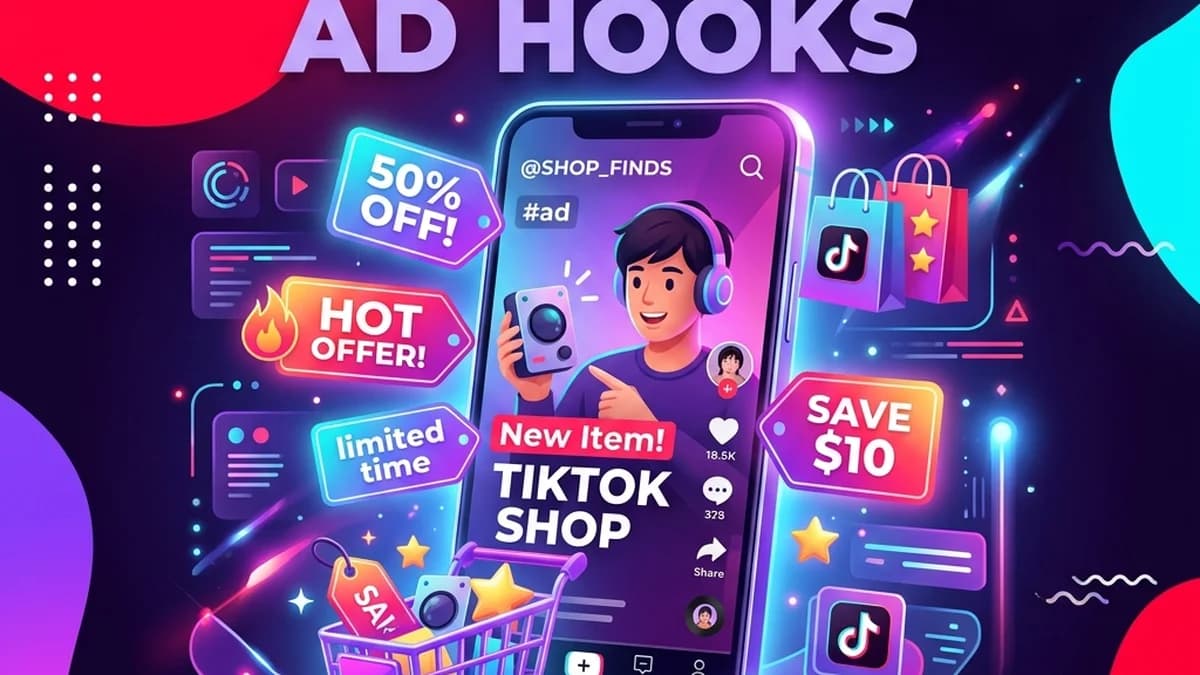
TikTok Shop ad hooks dashboard on mobile phone mockup screen

A good TikTok Shop ad hook is a first line that gives the viewer a specific reason to keep watching before the product pitch begins, usually by naming a problem, a gift situation, a comparison, or a real customer reaction. The strongest hooks sound like a creator talking to a friend, mention the product category early, and make one clear promise the rest of the video keeps.

The first line should give the viewer a reason to keep watching before the pitch. Use the TikTok Shop video generator to create hook-led videos from a product photo.

What makes a TikTok Shop hook work?

A hook works when it is specific, quick to say, and honest about what follows. It names a situation the viewer recognizes, hints at the payoff, and avoids sounding like an advert in the first second. Vague openers such as "check this out" give the viewer nothing to stay for, while a concrete problem or detail does.

Name the category or problem in the first sentence, keep the line short enough to say in a breath, and make sure the video delivers what it promises.

Which hook formulas work for TikTok Shop product videos?

Four formulas cover most products: the problem hook, the gift hook, the comparison hook, and the review hook. Each opens a different reason to buy, so they also make a natural test set for a single product. Fill in the brackets with your own product details and keep the wording conversational rather than salesy.

FormulaTemplateBest for
Problem"If you keep dealing with [problem], this is worth seeing."Fixes, organizers, gadgets
Hidden detail"Nobody tells you this about [category]."Crowded categories
Gift"A gift idea for the person who never knows what they want."Seasonal, novelty, jewelry
Comparison"Before you buy another [category], check this detail."Products with cheaper lookalikes
Review"A customer said this finally solved [problem]."Products with strong real reviews
Routine"This tiny product fixes the most annoying part of [routine]."Kitchen, beauty, desk items

What are good problem hooks?

Problem hooks open on a daily annoyance the product solves, which works because viewers recognize the situation before they know there is a product involved. Keep the problem concrete, such as tangled cables or a dying phone battery, rather than a broad promise like "upgrade your life".

  • "If you keep dealing with [problem], this is worth seeing."
  • "Nobody tells you this about [category]."
  • "This tiny product fixes the most annoying part of [routine]."

What are good gift hooks?

Gift hooks frame the product around the person receiving it, which suits jewelry, novelty items, personalized products, and anything sold in the weeks before holidays. They work best when they name a recognizable type of person, such as the friend who has everything or the coworker who loves coffee.

  • "A gift idea for the person who never knows what they want."
  • "If they love [interest], this is the kind of thing they will actually use."
  • "This looks simple, but that is why it works as a gift."

Unboxing-style openers fit the gift angle too — the unboxing video scripts page has ready first lines.

What are good comparison hooks?

Comparison hooks help when shoppers can find cheaper lookalikes. They point to the one detail that separates your product, such as a material, a hinge, or a battery, without naming or disparaging a competitor. The detail has to be real and visible, otherwise the hook sets up a promise the video cannot keep.

  • "Before you buy another [category], check this detail."
  • "This is what separates the cheap version from the useful one."
  • "If two products look the same, compare this first."

How should you use review hooks honestly?

Use real review language only. A review hook should quote or closely paraphrase something a real customer wrote, and the AI presenter should never be framed as that customer. If you do not have reviews yet, use a problem or comparison hook instead of inventing proof.

  • "A customer said this finally solved [problem]."
  • "This review explains why people keep buying it."
  • "If you are unsure about [objection], listen to this."

For reviews, use the customer review video generator, and grab a full structure from the testimonial video script templates if you want more than the opening line. In the TalkPix product ad studio, the Real Customer Review angle has the creator read a review you paste in, word for word.

How do you turn a hook into a full TikTok Shop video?

Pick the TikTok Shop preset, write the hook as the first line, then follow it with who the product is for, the single benefit, and a short call to action. In TalkPix the whole script is capped at 300 characters, which keeps the video tight, and the TikTok Shop preset closes with a cart-style CTA.

Render in 9:16 and keep the product in the middle of the frame. A 10-second hook test uses about 10 credits at 720p; see the TikTok Shop video ad specs for layout details.

Where can you see TikTok Shop examples?

The TikTok Shop example pages show finished hooks in context, which makes it easier to judge pacing and tone than reading templates alone. Compare a fashion hook and a fitness-product hook before writing your own batch.

Start with the TikTok Shop product video ad examples, then the full script pages for apparel video ads and fitness product video ads.

Test TikTok Shop hooks from a product photo

Upload one product photo — get a UGC-style talking video ad, no filming needed.

Create TikTok Shop video

How should you test TikTok Shop hooks?

Generate five versions from the same product photo: problem, gift, comparison, review, and product demo. Keep the product details identical and change only the first line, so any difference in results comes from the hook. Once one hook clearly performs better, make more versions around that angle instead of switching products.

The creative testing workflow explains how to compare a batch fairly.

TalkPix at a glance

Pricing modelOne-time credit packs. No subscription is required.
Starting price$1.99 for a first Talking Photo — new customers, typed script, up to 20 seconds at 720p. Reusable credit packs start at $5 (Mini) and cover every studio.
Credit cost per generation1 credit = 1 second of Talking Photo video at 720p. 1080p costs 2x that per second, and the other studios (AI Video, Product Photo, Song, voice cloning) are priced per job. The exact credit cost is shown before you generate.
Do credits expire?No. Purchased credits never expire.
Free tierNone. Payment is confirmed before anything is rendered.
What it animatesA photo you upload — a person, a pet, or a product.
Ways to supply the wordsType a script, upload an audio file, or record your voice.
OutputA downloadable MP4 video.
Maximum length5 minutes per video.
Resolutions720p and 1080p
Voices30 built-in voices.
Languages10 languages.
Commercial useAllowed, when you hold the rights and consent for every input you upload.
How long uploads are kept30 days.
PlatformBrowser-based web app on any phone, tablet or computer. TalkPix apps are also on the App Store (iPhone and iPad) and Google Play (Android).

Specifications verified 18 September 2026.

Written by

Ege Alp

Founder, TalkPix

Ege builds TalkPix and writes practical guides for ecommerce sellers, creators, and marketers who want to turn product photos into short AI video ads without a studio workflow.

Turn your product photo into a video ad

Upload one product photo and generate a UGC-style talking ad — no filming, no actors.

Generate a product ad