Product Video Ads vs Static Images

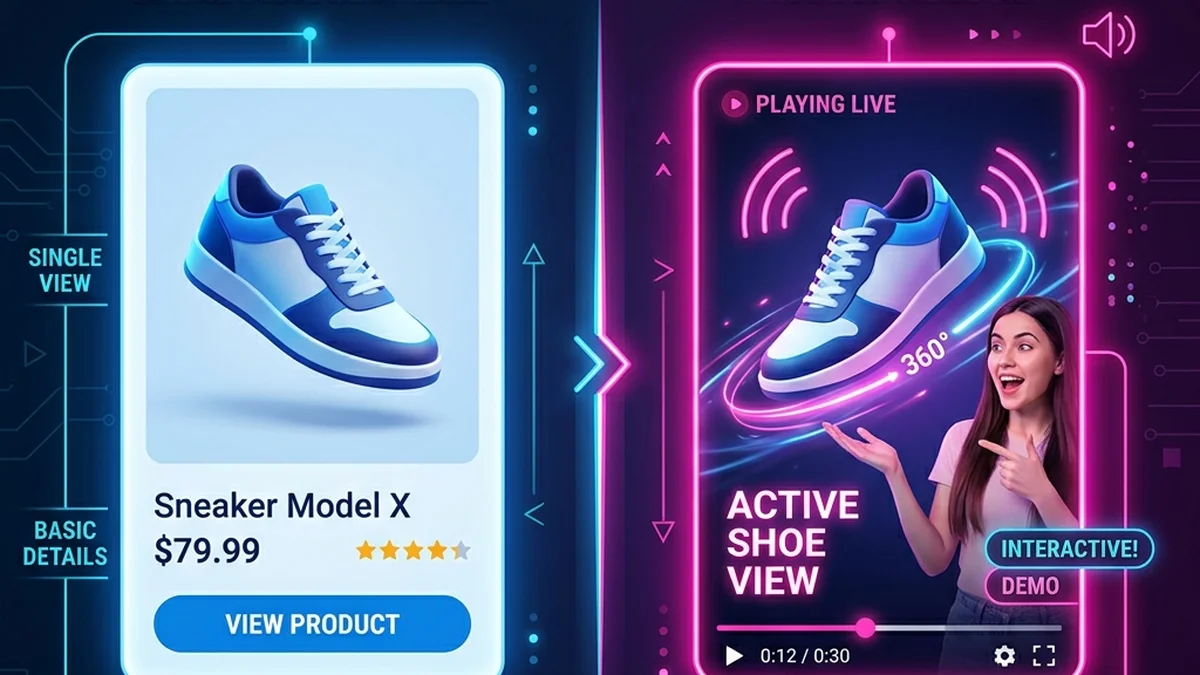
Neither format wins everywhere: static images are better when a shopper needs to inspect a product, and video ads are better when a shopper needs a reason to care or an explanation of how the product fits their life. Most ecommerce stores get the best result by using both, with images for inspection and catalog ads and short videos for attention, explanation, and objection handling.
Product video ads do not make static images obsolete. Good product photos still matter for product pages, marketplaces, and ads. Video adds a different job: it explains, frames, and tests the idea behind the product. Use the product photo to video workflow when a static image is not doing enough.
When are static images the better choice?
Static images are the better choice when the buying decision depends on what the product looks like: shape, color, material, size, packaging, and variant options. A shopper comparing two shades of a sweater or checking whether a lamp fits a shelf wants a sharp image they can zoom and swipe at their own pace, not a presenter talking over it.
Use static images first for:
- Product page galleries and zoomable detail shots.
- Marketplace main images, where the platform sets strict image rules.
- Catalog and dynamic product ads that pull from a product feed.
- Variant pickers, size charts, and "what's in the box" shots.
- Products that are self-explanatory at a glance, such as a plain phone case.
Static images are also faster to swap. If a price, bundle, or seasonal offer changes weekly, an image creative is cheaper to update than re-rendering video.
When does a product video ad work better?
A product video ad works better when the product needs context the photo cannot carry: why it matters, who it is for, what problem it solves, how it is used, or why it makes a good gift. Video also earns attention in feeds built for motion, such as TikTok, Reels, and Shorts, where a still image can look out of place among creator clips.
Use video when shoppers need to understand:
- Why the product matters.
- Who it is for.
- What problem it solves.
- What a customer noticed.
- Why it makes a good gift.
For the customer-proof angle specifically, the scripts for testimonial-style videos page has ready-made structures. A spoken explanation also helps with products that shoppers misjudge from a photo, like a gadget whose main feature is invisible until it is switched on.
Which format should you use for each job?
Match the format to the job the creative has to do rather than picking one for the whole store. The table below is a starting point for common ecommerce placements, and it assumes you already have at least one clean product photo, since both formats start from it.
| Job | Better format | Why |
|---|---|---|
| Show color, texture, and variants | Static image | Shoppers zoom and compare at their own pace |
| Stop the scroll on TikTok, Reels, or Shorts | Video | The feed is built for motion and sound |
| Explain a non-obvious feature | Video | A spoken line answers "what does it do?" |
| Retarget past visitors with a catalog | Static image | Feed-driven ads update automatically |
| Answer a common objection | Video | A short script can address price, fit, or trust |
| Marketplace main image | Static image | Platforms set strict main-image rules |
| Gift and seasonal angles | Either | Test both; a short video can frame the occasion |
Should you use video and images together?
Yes, in most cases the two formats work best in sequence. Use video at the top of the funnel to earn attention and explain the product, then use static images for retargeting, catalog ads, and the product page gallery where shoppers inspect details. On the product page itself, images handle inspection and a short video handles explanation.
For ads, use video to earn attention and static images for retargeting or catalog ads. For product pages, use images for inspection and video for explanation — examples of product page videos show that pairing in practice.
Turn a static product image into video
Upload one product photo — get a UGC-style talking video ad, no filming needed.
Create product adHow can you turn a static product image into a video ad?
You can turn one product photo into a video ad with an AI product video generator that adds a presenter, a short script, and a voice. In TalkPix you upload the photo, pick a platform preset such as TikTok Shop or Amazon, review a script of up to 300 characters, and render a UGC-style clip of an AI creator presenting the product.
The product video ad generator exports a 720p MP4 in 9:16, 4:5, 1:1, or 16:9, so one source photo can cover vertical feeds, Instagram and Facebook feed, square listings, and landscape product pages. A product ad is billed by its real length at 1 credit per second at 720p, so a 10-second ad uses about 10 credits, and the exact cost is shown before rendering. Credit packs start at $5 for 50 credits and never expire; see pricing.
Be honest about the limits. An AI presenter is not a substitute for a real customer filming the product in use, and if your best asset is genuine creator footage, run that. AI video is most useful when the alternative is no video at all.
What is a simple rule for choosing?
If the product is self-explanatory, start with images. If shoppers ask the same question before buying, create a short video that answers that question in the first few seconds, and keep the images for the gallery and retargeting. Then let your own ad results, not a general rule, decide how much budget each format gets.
A ready-made script template gets you to that first video faster than writing from scratch, and the product video ad examples show what the finished formats look like side by side.