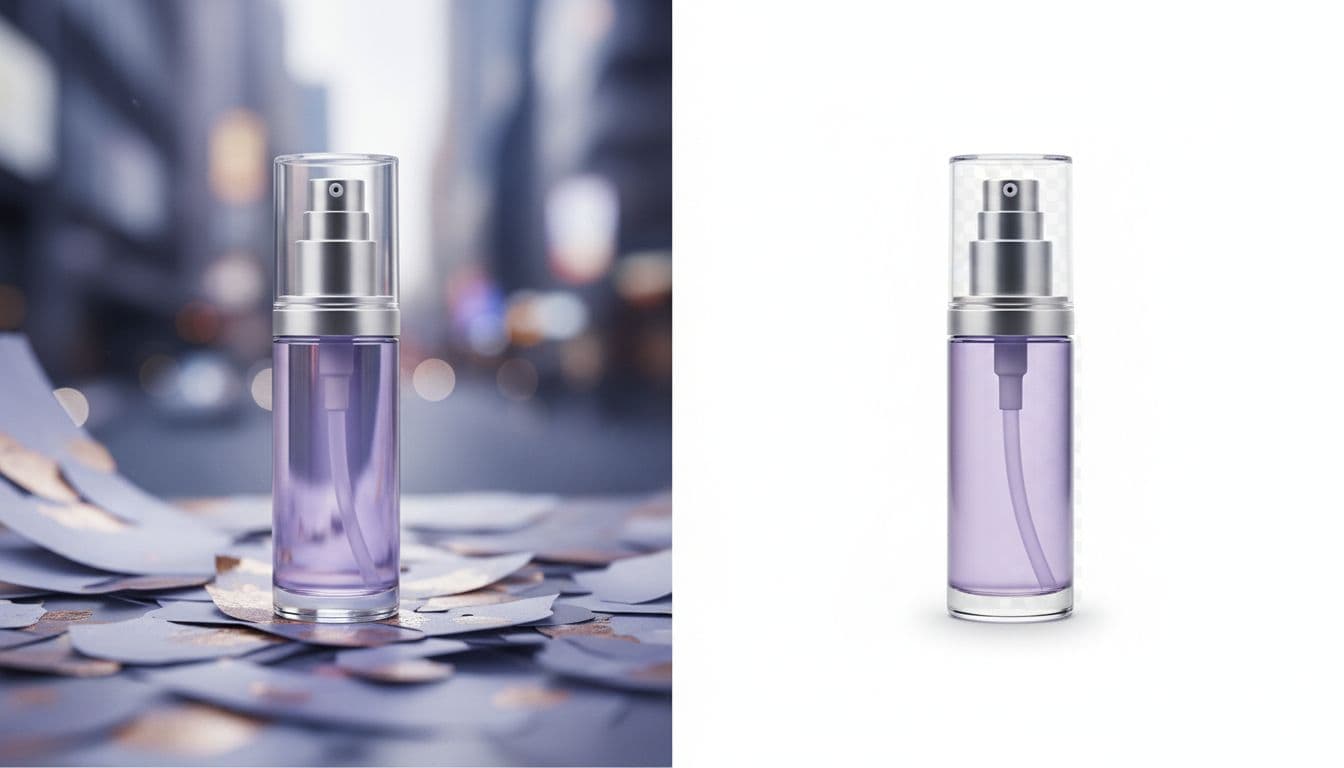
White-Background Product Photos: A Fast, Clean Guide

A white background is the quietest choice you can make for a product listing, and that is exactly why marketplaces ask for it. It removes distractions, keeps the focus on the item, and makes a page of thumbnails look consistent. This guide covers why platforms want white backgrounds, what the rules actually say, and how to get a clean result without a lightbox or a studio session.
Why marketplaces prefer white backgrounds
When shoppers scan a search results page, dozens of products sit side by side. A plain white background makes each item easy to compare and keeps the grid from looking chaotic. It also reproduces reliably across phones, tablets, and desktops, so your product looks the same everywhere.
For sellers, white backgrounds are practical too. They crop cleanly, they resize without odd edges, and they work as a neutral base you can reuse across a marketplace listing, an ad, and a spec sheet.
The Amazon pure-white rule (and what "pure" means)
Amazon is the strictest of the major platforms about this. For the main listing image, Amazon requires a pure white background — the specific value it references is RGB 255, 255, 255. That is not "light gray" or "almost white." It is the same white the site's own background uses, so the product appears to float on the page with no visible edge or box behind it. The full spec list — file sizes, formats, and framing — is in our Amazon product image requirements checklist.
A few practical points that trip up new sellers:
- The main image should show the actual product filling most of the frame, with no props, text, logos, or watermarks added on top.
- Square framing at 1:1 is the safe default for Amazon, and it also fits Etsy and eBay listing grids.
- Secondary images have more freedom, which is where lifestyle and detail shots belong.
If you sell across channels, it helps to read the specifics for each one. Our guides for the Amazon product photo editor, eBay product photos, Etsy product photography, and Shopify product photos cover the differences so you are not guessing.
How to get a clean white background fast
The traditional route is a sweep of white paper, two lights, a tripod, and editing time to knock the background out. It works, but it is slow, and getting a truly even, pure-white result by hand is fiddly.
The faster route is to let AI restage the photo. With the AI Product Photo Studio, you upload one photo of your product and pick the pure-white background scene. The tool works from your photo and is instructed to keep the product's shape, proportions, colors, materials, and any label, logo, or text while it replaces the background and lighting. Small text can still shift, so review each result. It does not add hands, people, or invented features, so what buyers see is what they get.
The studio runs on prepaid credits — three credits per image, from one-time packs that start at $5 — so a marketplace-ready main image works out to a few cents. There is no free tier and no trial: credits go on the account first, then the render runs. The credits never expire, and a credit pack has no renewal to cancel.
Tips for a genuinely clean result
A good source photo still matters. AI changes the background, not the physical item, so start with an image where the product is in focus and reasonably well lit.
- Shoot in soft, even light. Diffused daylight near a window beats harsh direct sun or a single hard lamp. Even lighting gives the tool a clean edge to work from.
- Fill the frame. Get close enough that the product is the clear subject. Tiny products lost in a large frame are harder to isolate cleanly.
- Choose the right ratio. Use 1:1 for marketplace mains. Save 4:5 for Instagram and feed placements, and 3:4 for other listing slots.
- Check the edges. After generating, look at fine details like handles, straps, or transparent parts to confirm the cutout looks natural.
- Keep a lifestyle version too. White mains sell the facts; scene shots sell the mood. See our lifestyle product photography guide for where those belong in a listing.
From clean photo to full listing
Once you have a marketplace-ready main image, you have a reusable base. The same product photo can anchor your gallery, a promo banner, or a short talking video ad. If you want to turn a still into motion, you can send it straight into a UGC-style product video without reshooting anything.
Start with the white background, get the listing approved, then build out from there. A clean main image is the foundation every other creative sits on.
Get a marketplace-ready white-background photo
Upload one product photo and get a clean, pure-white image that fits Amazon, Etsy, and eBay. Three credits per image, one-time packs from $5, no subscription required.
Make my product photo