Swipe Customizer: Every Swipe Changes Your Car
Your car drops from the sky and every swipe of your hand changes it: wrap, colour, wheels, body kit. Add 1 photo, pick where and the template writes the rest: the scene, the camera moves and the sound, 12 seconds in all.
- You add: 1 photo
- Result: 12-second vertical (9:16) video with sound
- Price: from 72 credits
Nothing renders and no credits are spent until you add your photo to Swipe Customizer and press Generate.
Example rendered October 2, 2026 · page updated October 12, 2026

In short
Swipe Customizer at a glance
Swipe Customizer is a ready-made AI Video template on TalkPix. Your car drops from the sky and every swipe of your hand changes it: wrap, colour, wheels, body kit. You add 1 photo and pick where; the template supplies the scene, the camera moves and the sound. The result is a 12-second vertical (9:16) video with sound, made by Seedance 2.5, for 72 credits at 480p, 156 at 720p.
What happens in the video
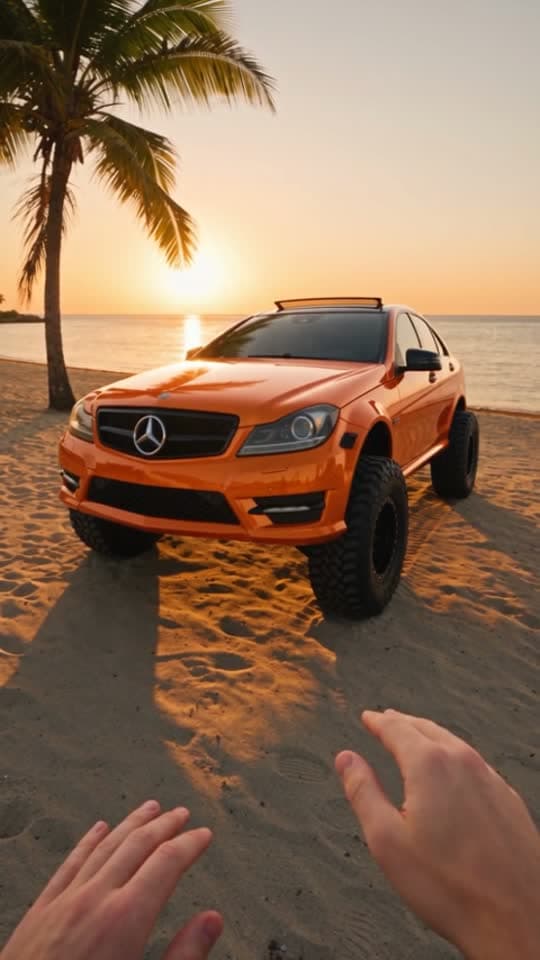
Your car drops out of the sky and lands in front of your hands, exactly as it looks in your photo. Every swipe of your hand sends a ripple over it and changes its look: first a bold black-and-white wrap, then deep glossy orange paint, then big off-road wheels and a raised stance, and finally a tough body kit with a roof light bar. The 12-second video ends circling the finished build as you give a thumbs-up.
The Swipe Customizer video is vertical (9:16), the format TikTok, Instagram Reels and YouTube Shorts use, so the file posts without cropping.
| Trend | Swipe Customizer, an AI Video template on TalkPix |
|---|---|
| You add | 1 photo: Your car |
| Where | 6 options: Sunset beach, City at night, Desert highway, Mountain pass, Airfield, Coastal road |
| Result | 12-second vertical (9:16) video with sound |
| Sound | Yes, generated with the video |
| Model | Seedance 2.5 |
| Price | 72 credits at 480p, 156 at 720p |
| In US dollars | About $6.00 at 480p (72 credits at the Starter pack rate) and about $11.14 at 720p (156 credits at the Creator pack rate). Larger packs cost less per credit; packs start at $5. |
| Opens in | AI Video studio, with the template loaded |
| Example | Real render from October 2, 2026. The sample photo is a real photo from a member of the TalkPix team, used with permission. |
| Page updated | October 12, 2026 |
Before and after
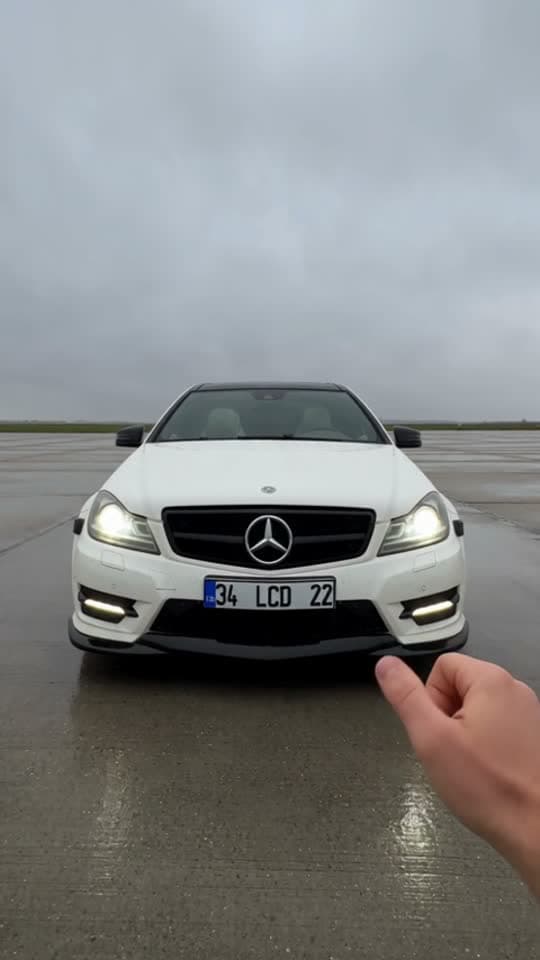
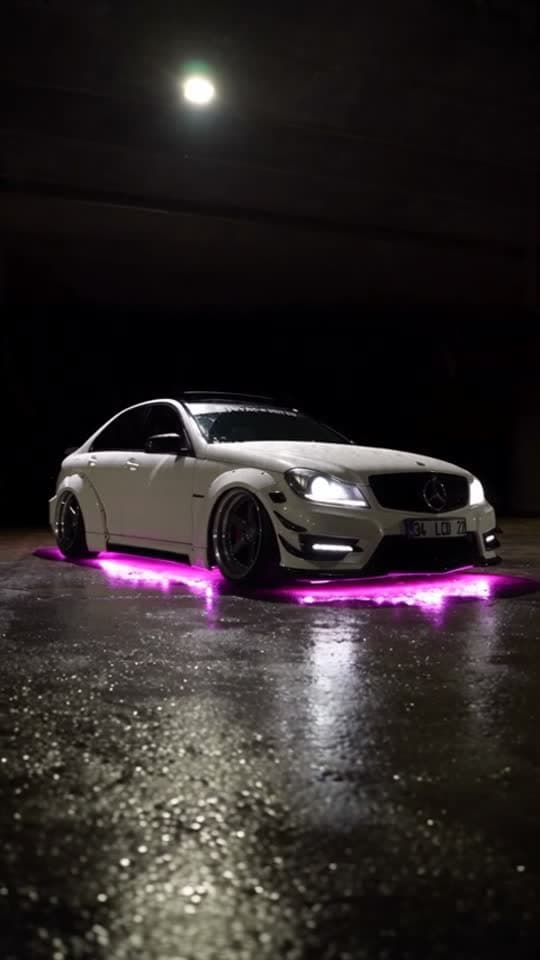
What the Swipe Customizer example was made from
The example above is a real render of this template from this photo, made on October 2, 2026. The sample photo is a real photo from a member of the TalkPix team, used with permission.
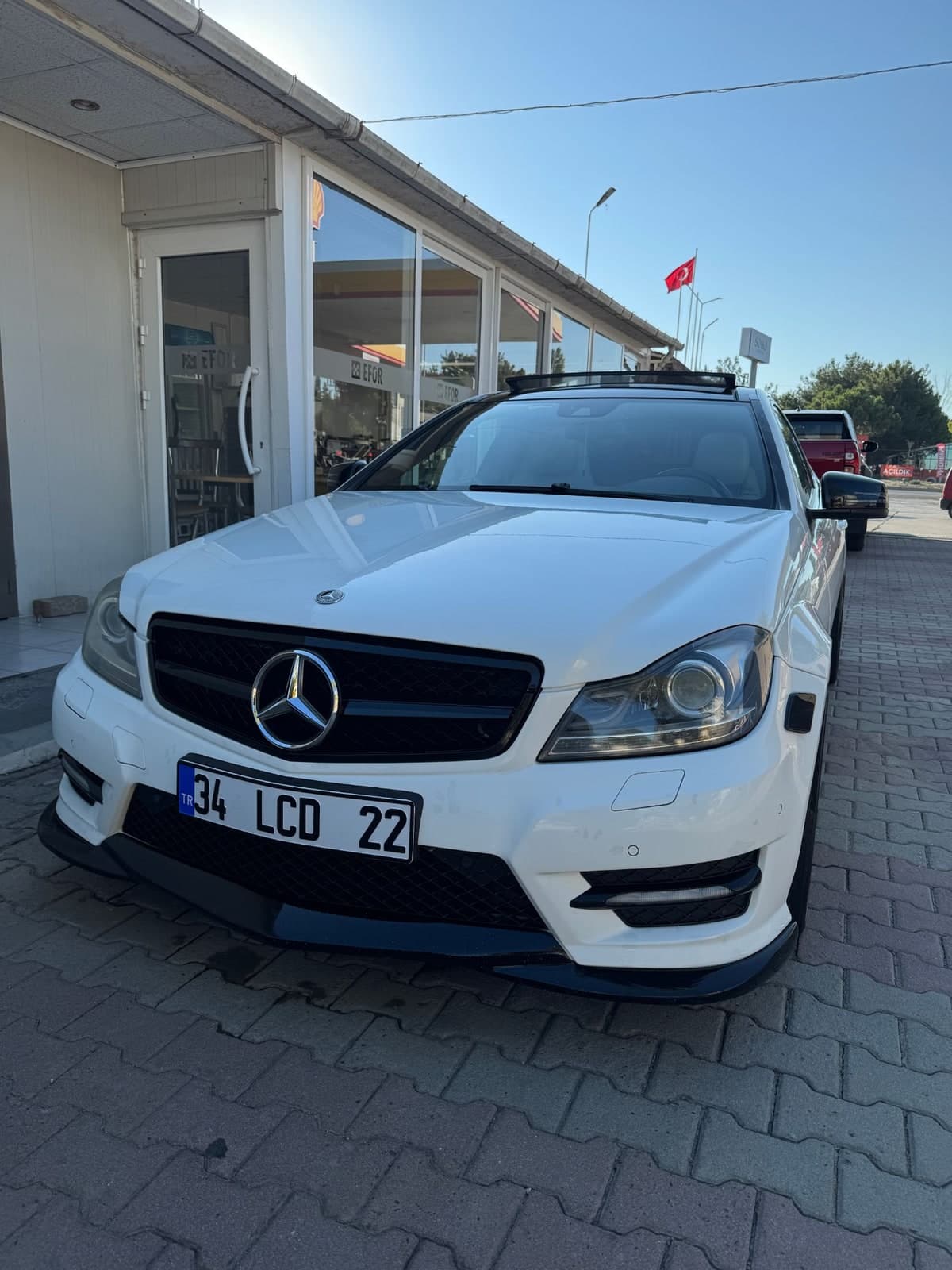

What you need and what you get
- Photos (1 photo)
- Your car — One clear photo of the whole car.
Where: Sunset beach, City at night, Desert highway, Mountain pass, Airfield, Coastal road
- Result
- 12-second vertical (9:16) video with sound. Made with Seedance 2.5 for the Swipe Customizer template.
- Price
- Swipe Customizer costs 72 credits at 480p, 156 at 720p. Credit packs start at $5 and credits never expire; see pricing.
How to make the Swipe Customizer trend
Step 1
Open the Swipe Customizer template
Swipe Customizer opens in the AI Video studio with its scene, camera and sound already set.
Step 2
Add 1 photo
Upload your car for the Swipe Customizer template. Then pick where with one tap.
Step 3
Generate
The button shows what Swipe Customizer costs (72 credits at 480p, 156 at 720p) before anything renders. A render that fails returns its credits.
Step 4
Download and post
The finished Swipe Customizer video opens on its result page as an MP4 you download, share by link or run again with another photo.
Swipe Customizer questions
What is the Swipe Customizer trend?
Swipe Customizer is one of the AI Video trend templates on TalkPix: a fixed scene you put your own photo into. Your car drops from the sky and every swipe of your hand changes it: wrap, colour, wheels, body kit. You add 1 photo and the result is a 12-second vertical (9:16) video with sound.
What happens in the Swipe Customizer video?
Your car drops out of the sky and lands in front of your hands, exactly as it looks in your photo. Every swipe of your hand sends a ripple over it and changes its look: first a bold black-and-white wrap, then deep glossy orange paint, then big off-road wheels and a raised stance, and finally a tough body kit with a roof light bar. The 12-second video ends circling the finished build as you give a thumbs-up.
How do I make the Swipe Customizer trend with my own photo?
Open the Swipe Customizer template (the Use this template button on this page, or talkpix.ai/create/ai-video?trend=swipe-customizer), add your car and pick where, and press Generate. The Swipe Customizer video is ready on its result page as a downloadable MP4; you can leave the page while it renders.
How much does the Swipe Customizer template cost?
The Swipe Customizer template costs 72 credits at 480p, 156 at 720p. About $6.00 at 480p (72 credits at the Starter pack rate) and about $11.14 at 720p (156 credits at the Creator pack rate). Larger packs cost less per credit; packs start at $5. The exact total is on the Generate button before anything renders, and a render that fails returns its credits. Credits never expire.
What photos do I need for Swipe Customizer?
Swipe Customizer needs 1 photo. Your car: One clear photo of the whole car. Only use photos of yourself or of people who have agreed to it.
How long is the Swipe Customizer video?
12 seconds, vertical (9:16), generated with sound by Seedance 2.5.
Can I post Swipe Customizer on TikTok, Instagram Reels or YouTube Shorts?
Yes. The Swipe Customizer video is vertical (9:16), the format TikTok, Instagram Reels and YouTube Shorts use, so the file posts without cropping. Download the file from the result page and post it from your own account; the result is AI-generated, so label it as such where a platform asks.
Do I need an app to make Swipe Customizer?
No. Swipe Customizer is made in the TalkPix web app, which runs in the browser on any phone, tablet or computer with nothing to install. You need a TalkPix account and credits; the exact cost is on the Generate button.
Is the Swipe Customizer example real?
Yes. It is a real render of this template, made on October 2, 2026 from the sample photos shown on this page. The sample photo is a real photo from a member of the TalkPix team, used with permission.
Can I use my Swipe Customizer video commercially?
Yes, when you hold the rights and consent for every photo you add and follow the TalkPix Terms and the rules of the platform you post on. Swipe Customizer renders are AI-generated: only use photos of yourself or of people who have agreed to it.
More AI video trends

Liquid Assembly
AI Video

Assemble My Car
AI Video

Night Glow-Up
AI Video

Parking Lot Vibe
AI Video

Pet Road Trip
AI Video

Flying Entrance
AI Video
Same theme, other studios
Browse by theme
Make the Swipe Customizer trend with your photo
Swipe Customizer · AI Video studio · 1 photo · from 72 credits · 12-second vertical (9:16) video with sound