
Champagne Birthday AI Video: Car Roof Backflip

Make a champagne birthday AI video from your car photo: you backflip roof to roof, then pop the bottle.
1 to 5 photos · 10-second vertical (9:16) video with sound · from 45 credits on Economy
No credits are spent until you press Generate · updated November 9, 2026
Champagne Birthday Car Backflip at a glance
Champagne Birthday Car Backflip is a ready-made AI Video template on TalkPix. In the studio it is called Birthday Car Flip. Make a champagne birthday AI video from your car photo: you backflip roof to roof, then pop the bottle. You add 1 to 5 photos and pick number plate, outfit and ending text; the template supplies the scene, the camera moves and the sound. The result is a 10-second vertical (9:16) video with sound, made by Seedance 2.5 (Standard); Seedance 2.0 Fast (Economy, eligible clips up to 15 seconds), for 105 credits at 480p, 240 at 720p; 45 credits at 480p, 90 at 720p on the economy tier.
Unlike Car Drifting Around a Cake and Birthday Cake Drive-By Drift, a person does the stunt here; unlike Car Drop From the Sky, the car stays on the road while you flip between two moving cars.
All the details
What happens in the video
On a rainy, empty highway, your car races side by side with a second car, tail lights glowing on the wet road. You lean out of the window, climb onto the roof and backflip across to the other car, landing in a crouch and pulling a bottle of champagne out through the sunroof. In the 10-second finale you stand on the road, pop the bottle in a huge spray, and the picture turns black and white except for the green bottle.
The Birthday Car Flip video is vertical (9:16), the format TikTok, Instagram Reels and YouTube Shorts use, so the file posts without cropping.
| Scene or format | Champagne Birthday Car Backflip |
|---|---|
| TalkPix template | Birthday Car Flip, an AI Video template on TalkPix |
| You add | 1 to 5 photos: You (optional), Your car, The back (recommended) (optional), A second car (optional), Your bottle (optional) |
| Number plate | 2 options: As in your photo, Hidden |
| Outfit | 2 options: Black stunt look, Your own clothes |
| Ending text | 5 options: Happy Birthday, Happy Anniversary, Congrats!, No text, Custom |
| Result | 10-second vertical (9:16) video with sound |
| Sound | Yes, generated with the video |
| Model | Seedance 2.5 (Standard); Seedance 2.0 Fast (Economy, eligible clips up to 15 seconds) |
| Price | 105 credits at 480p, 240 at 720p; 45 credits at 480p, 90 at 720p on the economy tier |
| Credit value in USD | In dollars: about $4.50 for 10 s at 480p on the economy tier (45 credits at the Mini pack rate), about $7.50 for 10 s at 720p on the economy tier (90 credits at the Starter pack rate), about $8.75 for 10 s at 480p (105 credits at the Starter pack rate) and about $17.14 for 10 s at 720p (240 credits at the Creator pack rate). You buy credits in packs, not per video. Packs start at $5, and larger packs cost less per credit. |
| Opens in | AI Video studio, with the template loaded |
| Example | Real render from October 4, 2026. Some of the sample photos are real photos from a member of the TalkPix team, used with permission; the others are AI-generated. This example was rendered with Seedance 2.5 on Standard. Economy uses Seedance 2.0 Fast; its output can differ from this sample. |
| Page updated | November 9, 2026 |
Before and after
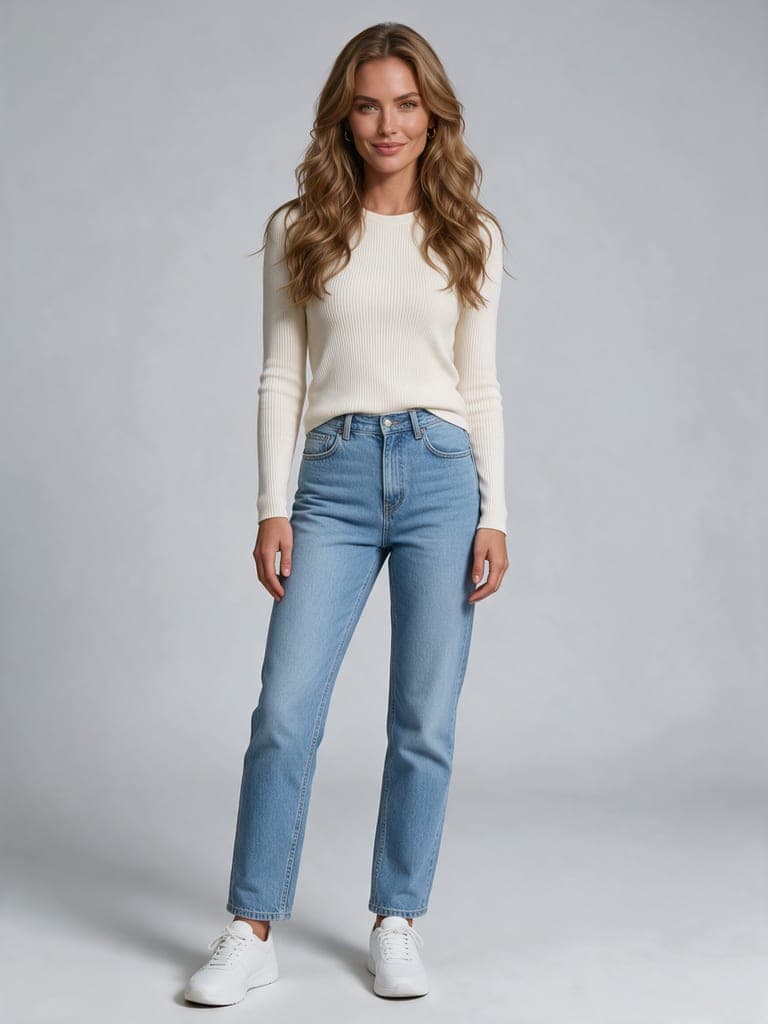
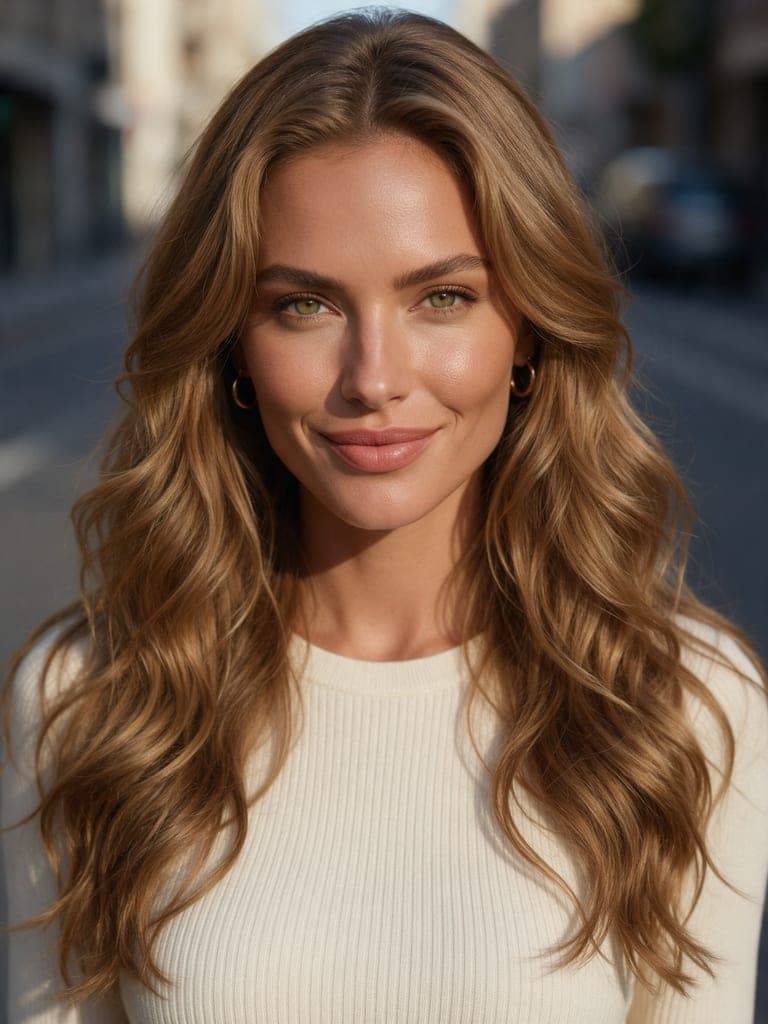
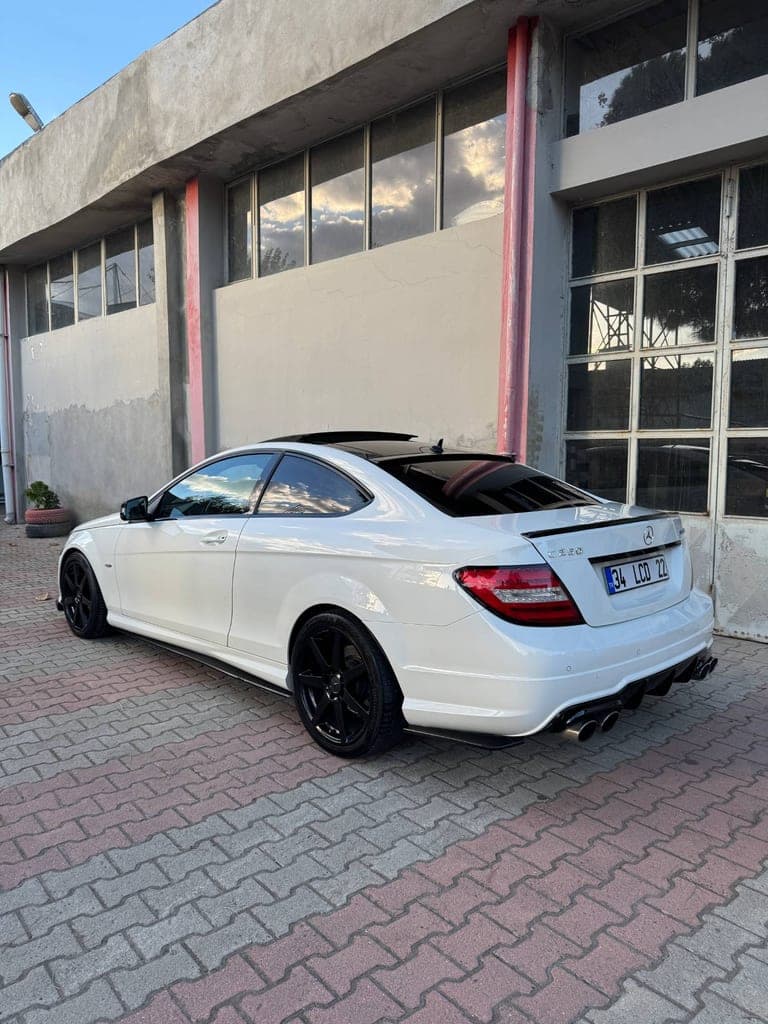
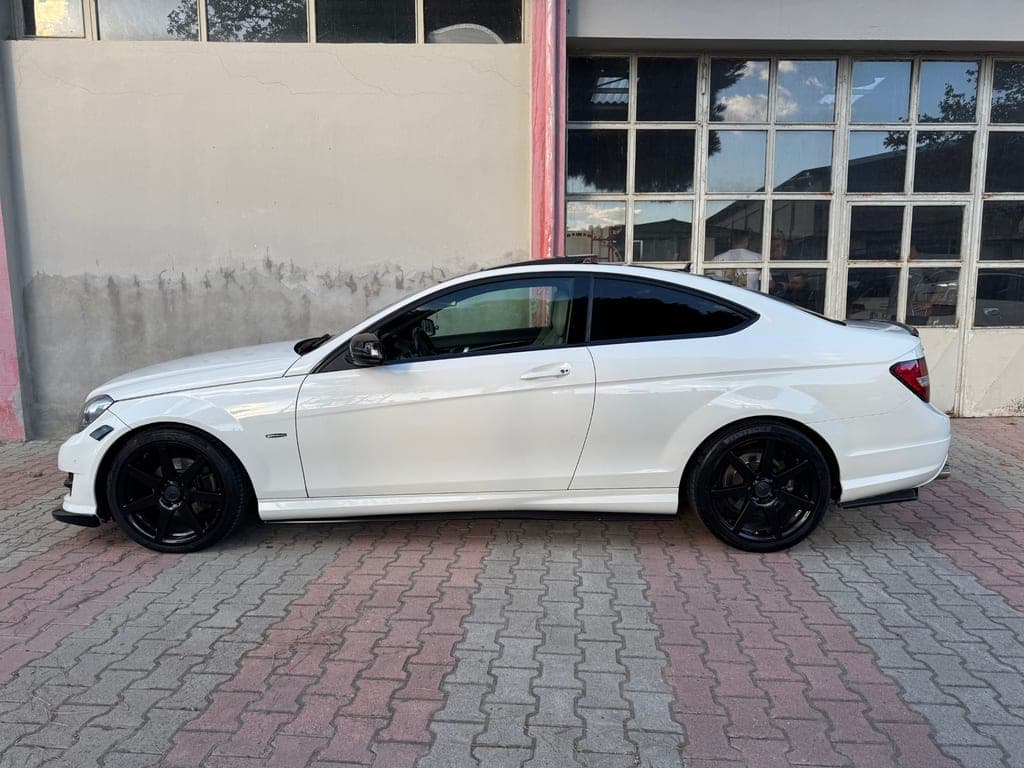
What the Birthday Car Flip example was made from
The example above is a real render of this template from these photos, made on October 4, 2026. Some of the sample photos are real photos from a member of the TalkPix team, used with permission; the others are AI-generated. This example was rendered with Seedance 2.5 on Standard. Economy uses Seedance 2.0 Fast; its output can differ from this sample.
What you need and what you get
- Photos (1 to 5 photos)
- You (optional) — One clear full-body photo: face sharp, nobody else. A close-up of your face as the second photo keeps you recognisable in the close shots.
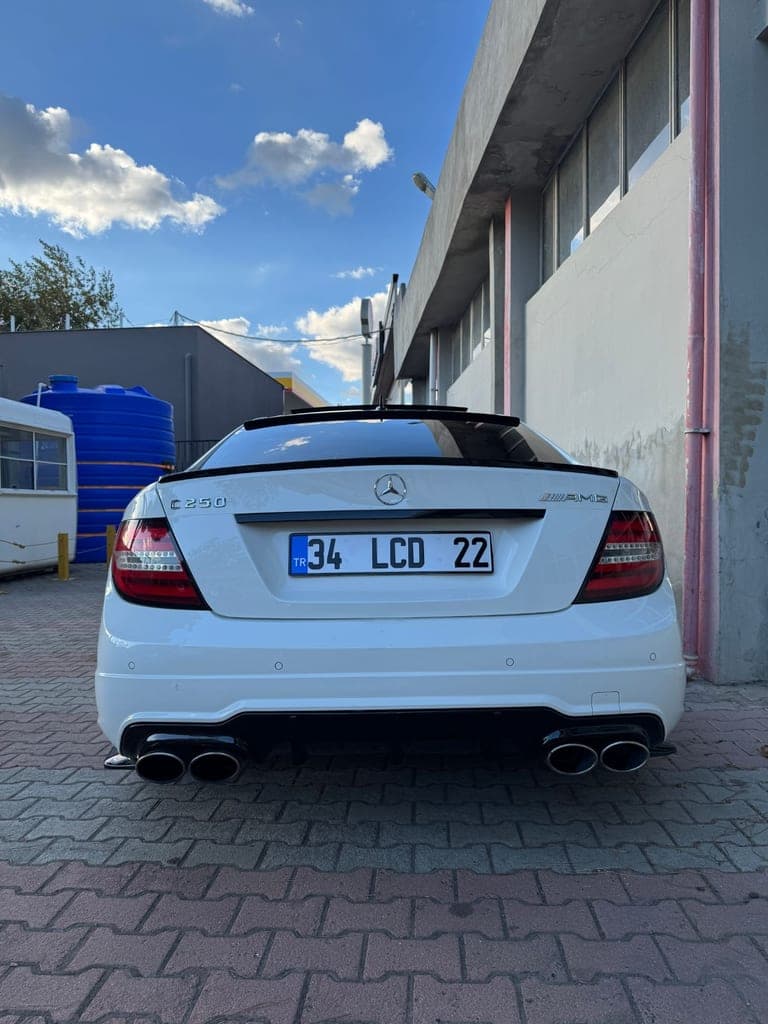
- Your car — The back and one side together (rear three-quarter): wheels, tail lights and body shape visible. A side view as the second photo keeps the body exact.
- The back (recommended) (optional) — The whole back of the same car, square on: tail lights, bumper and exhausts sharp. Most of the video sees the cars from behind. Skip it and the back follows your rear-corner photo.
- A second car (optional) — A different car for the right-hand lane, the one the jump lands on, from behind at an angle. Skip it and both lanes are your car.
- Your bottle (optional) — Your champagne, wine or drink bottle, whole and upright, label readable, on a plain background. The star lifts it out of the sunroof and pops it. Skip it and a plain green champagne bottle is used.
Number plate: As in your photo, Hidden
Outfit: Black stunt look, Your own clothes
Ending text: Happy Birthday, Happy Anniversary, Congrats!, No text, Custom
- Result
- 10-second vertical (9:16) video with sound. Made with Seedance 2.5 (Standard); Seedance 2.0 Fast (Economy, eligible clips up to 15 seconds) for the Birthday Car Flip template.
- Price
- Birthday Car Flip costs 105 credits at 480p, 240 at 720p; 45 credits at 480p, 90 at 720p on the economy tier. Credit packs start at $5 with no subscription required, and credits never expire; see pricing.
How do I make a champagne birthday AI video with a car roof backflip?
Step 1
Open the Birthday Car Flip template
Birthday Car Flip opens in the AI Video studio with its scene, camera and sound already set.
Step 2
Add 1 to 5 photos
Upload your car, optionally you and the back (recommended) and a second car and your bottle for the Birthday Car Flip template. Then pick number plate and outfit and ending text with one tap.
Step 3
Generate
Sign in and check the displayed credit estimate (105 credits at 480p, 240 at 720p; 45 credits at 480p, 90 at 720p on the economy tier) before generating. Paid generation needs sufficient credits; buy a pack if needed. A failed render returns its generation credits. Any optional image preparation has its own displayed charge.
Step 4
Download and post
The finished Birthday Car Flip video opens on its result page as an MP4 you download, share by link or run again with another photo.
Champagne Birthday Car Backflip questions
What is the Champagne Birthday Car Backflip trend?
Champagne Birthday Car Backflip is the Birthday Car Flip AI Video template on TalkPix. Make a champagne birthday AI video from your car photo: you backflip roof to roof, then pop the bottle. You add 1 to 5 photos and the result is a 10-second vertical (9:16) video with sound.
What happens in the Birthday Car Flip video?
On a rainy, empty highway, your car races side by side with a second car, tail lights glowing on the wet road. You lean out of the window, climb onto the roof and backflip across to the other car, landing in a crouch and pulling a bottle of champagne out through the sunroof. In the 10-second finale you stand on the road, pop the bottle in a huge spray, and the picture turns black and white except for the green bottle.
How do I make a champagne birthday AI video with a car roof backflip?
Open the Birthday Car Flip template (the Use this template button on this page, or talkpix.ai/create/ai-video?trend=birthday-car-flip), add your car, optionally you and the back (recommended) and a second car and your bottle and pick number plate, outfit and ending text, and press Generate. The Birthday Car Flip video is ready on its result page as a downloadable MP4; you can leave the page while it renders.
How much does the Birthday Car Flip template cost?
The Birthday Car Flip template costs 105 credits at 480p, 240 at 720p; 45 credits at 480p, 90 at 720p on the economy tier. In dollars: about $4.50 for 10 s at 480p on the economy tier (45 credits at the Mini pack rate), about $7.50 for 10 s at 720p on the economy tier (90 credits at the Starter pack rate), about $8.75 for 10 s at 480p (105 credits at the Starter pack rate) and about $17.14 for 10 s at 720p (240 credits at the Creator pack rate). You buy credits in packs, not per video. Packs start at $5, and larger packs cost less per credit. The exact total is on the Generate button before anything renders, and a render that fails returns its credits. Credits never expire.
What photos do I need for Birthday Car Flip?
Birthday Car Flip needs 1 to 5 photos. You (optional): One clear full-body photo: face sharp, nobody else. A close-up of your face as the second photo keeps you recognisable in the close shots. Your car: The back and one side together (rear three-quarter): wheels, tail lights and body shape visible. A side view as the second photo keeps the body exact. The back (recommended) (optional): The whole back of the same car, square on: tail lights, bumper and exhausts sharp. Most of the video sees the cars from behind. Skip it and the back follows your rear-corner photo. A second car (optional): A different car for the right-hand lane, the one the jump lands on, from behind at an angle. Skip it and both lanes are your car. Your bottle (optional): Your champagne, wine or drink bottle, whole and upright, label readable, on a plain background. The star lifts it out of the sunroof and pops it. Skip it and a plain green champagne bottle is used. Only use photos of yourself or of people who have agreed to it.
Will my Birthday Car Flip result match the example exactly?
No exact match is guaranteed. The example shows one real render, not a promise of identical output. AI can change faces, objects, motion or lettering. Use clear reference photos and review the downloaded result before posting.
How long is the Birthday Car Flip video?
10 seconds, vertical (9:16), generated with sound by Seedance 2.5 (Standard); Seedance 2.0 Fast (Economy, eligible clips up to 15 seconds).
Can I post Birthday Car Flip on TikTok, Instagram Reels or YouTube Shorts?
Yes. The Birthday Car Flip video is vertical (9:16), the format TikTok, Instagram Reels and YouTube Shorts use, so the file posts without cropping. Download the file from the result page and post it from your own account; the result is AI-generated, so label it as such where a platform asks.
Do I need an app to make Birthday Car Flip?
No. Birthday Car Flip is made in the TalkPix web app, which runs in the browser on any phone, tablet or computer with nothing to install. You need a TalkPix account and credits; the exact cost is on the Generate button.
Is the Birthday Car Flip example real?
Yes. It is a real render of this template, made on October 4, 2026 from the sample photos shown on this page. Some of the sample photos are real photos from a member of the TalkPix team, used with permission; the others are AI-generated. This example was rendered with Seedance 2.5 on Standard. Economy uses Seedance 2.0 Fast; its output can differ from this sample.
Can I use my Birthday Car Flip video commercially?
Yes, when you hold the rights and consent for every photo you add and follow the TalkPix Terms and the rules of the platform you post on. Birthday Car Flip renders are AI-generated: only use photos of yourself or of people who have agreed to it.
Ideas
How to make the champagne birthday car AI video
Pick the ending text in the studio: Happy Birthday, Happy Anniversary, Congrats!, your own line or none. For a spoken greeting from a photo instead of a stunt, use the AI birthday video maker.
Which photos should you use for the car roof backflip?
Only your car photo is needed: shoot the whole car from the side or front corner in daylight, and add the recommended photo of the back, since the race shows your tail lights glowing on the wet road. Add a full-body photo of yourself so you are the one on the roof, a second car if the other car should differ from yours, and your own bottle for the pop.
Can it be an anniversary or congrats video?
Yes. The race, the backflip and the bottle pop stay the same, and only the ending text changes: choose Happy Anniversary for a partner who loves their car, Congrats! for a new car, a promotion or a win, or type a custom line. Keep the Black stunt look outfit or switch to your own clothes, and hide the number plate if you plan to post it.
How is it different from the birthday champagne video trend?
The birthday champagne video trend is usually just the bottle pop with the picture turning black and white. Here the pop is the finale of a race on a rainy, empty highway: your car side by side with a second one, a climb out of the window and a backflip across the roofs. Caption it as an AI video on TikTok or Instagram so nobody tries the roof stunt for real.
Credit packs from $5 · no subscription required
More AI video trends

Car Jump AI Video
AI Video

AI Night Drive Video
AI Video

Rainy Night Car Drive
AI Video

Gas Station Dance
AI Video

Paris Luxury Product Ad
AI Video

3D Billboard Product Toss
AI Video
Same theme, other studios

Car at the Manhattan Bridge
AI Image

AI Toy Car in a Blister Pack
AI Image

Modified Car Dream Build
AI Image
Browse by theme
Make Champagne Birthday Car Backflip with your photo
Birthday Car Flip · AI Video studio · 1 to 5 photos · from 45 credits on Economy · 10-second vertical (9:16) video with sound