
Colosseum Car Drift Video: Your Car in a Roman Arena

A Colosseum car drift video: your car smashes the arena gates and drifts for the crowd. Add a car photo.
1 to 5 photos · 14 or 25-second landscape (4:3) video with sound · from 42 credits on Economy
No credits are spent until you press Generate · updated November 9, 2026
Colosseum Car Drift at a glance
Colosseum Car Drift is a ready-made AI Video template on TalkPix. In the studio it is called Arena Drift. A Colosseum car drift video: your car smashes the arena gates and drifts for the crowd. Add a car photo. You add 1 to 5 photos and pick version; the template supplies the scene, the camera moves and the sound. The result is a 14 or 25-second landscape (4:3) video with sound, made by Seedance 2.5 (Standard); Seedance 2.0 Fast (Economy, eligible clips up to 15 seconds), for 98 credits at 480p, 224 at 720p; 42 credits at 480p, 84 at 720p on the economy tier for 14 s; 175 credits at 480p, 400 at 720p for 25 s.
Car Drift and Donuts and Birthday Cake Drift Car are modern drift scenes; this one drops your car into the Colosseum with gladiators, chariots and an empress, filmed as one handheld 1990s camcorder take with the scene's own sound.
All the details
What happens in the video
The camera stands at the barrier of the Colosseum while gladiators duel on the sand. You drive your car through the wooden gates, planks flying, and spin a donut that draws the first tyre ring in the sand; the camera zooms in on you at the wheel, swings up to the empress smiling in her box and to the crowd on its feet, then whips back as the car stops. You open the driver's door, step out and make a heart with both hands for the empress: 25 seconds in one handheld 1990s camcorder take with the scene's own sound. The empress can be our own, or someone you add with a photo, in her laurel and robes. Or pick the 14-second version: your car alone charges past the chariots, kicks its rear out at the camera and ends in a burnout. Add your car from the front, and its back and side if you have them, and it keeps its own shape and plate; the 25-second version also takes a photo of your face.
The Arena Drift video downloads as a file you can post anywhere.
| Scene or format | Colosseum Car Drift |
|---|---|
| TalkPix template | Arena Drift, an AI Video template on TalkPix |
| You add | 1 to 5 photos: Your car, Its back (optional), Its side (optional), You, at the wheel, The empress (optional) |
| Version | 2 options: 25 s · Gladiator, 14 s · Classic |
| Result | 14 or 25-second landscape (4:3) video with sound |
| Sound | Yes, generated with the video |
| Model | Seedance 2.5 (Standard); Seedance 2.0 Fast (Economy, eligible clips up to 15 seconds) |
| Price | 98 credits at 480p, 224 at 720p; 42 credits at 480p, 84 at 720p on the economy tier for 14 s; 175 credits at 480p, 400 at 720p for 25 s |
| Credit value in USD | In dollars: about $4.20 for 14 s at 480p on the economy tier (42 credits at the Mini pack rate), about $7.00 for 14 s at 720p on the economy tier (84 credits at the Starter pack rate), about $8.17 for 14 s at 480p (98 credits at the Starter pack rate), about $12.50 for 25 s at 480p (175 credits at the Creator pack rate), about $16.00 for 14 s at 720p (224 credits at the Creator pack rate) and about $25.00 for 25 s at 720p (400 credits at the Pro pack rate). You buy credits in packs, not per video. Packs start at $5, and larger packs cost less per credit. |
| Opens in | AI Video studio, with the template loaded |
| Example | Real render from October 20, 2026. The sample photos are real photos from a member of the TalkPix team, used with permission. This example was rendered with Seedance 2.5 on Standard. Economy uses Seedance 2.0 Fast; its output can differ from this sample. |
| Page updated | November 9, 2026 |
Before and after
What the Arena Drift example was made from
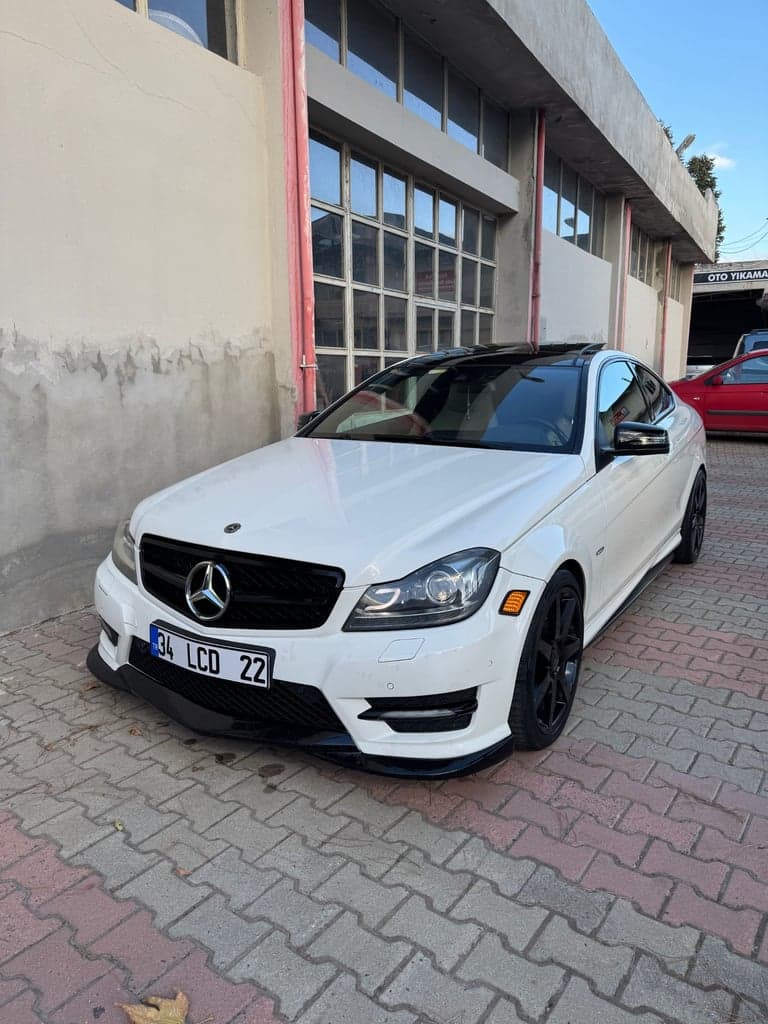
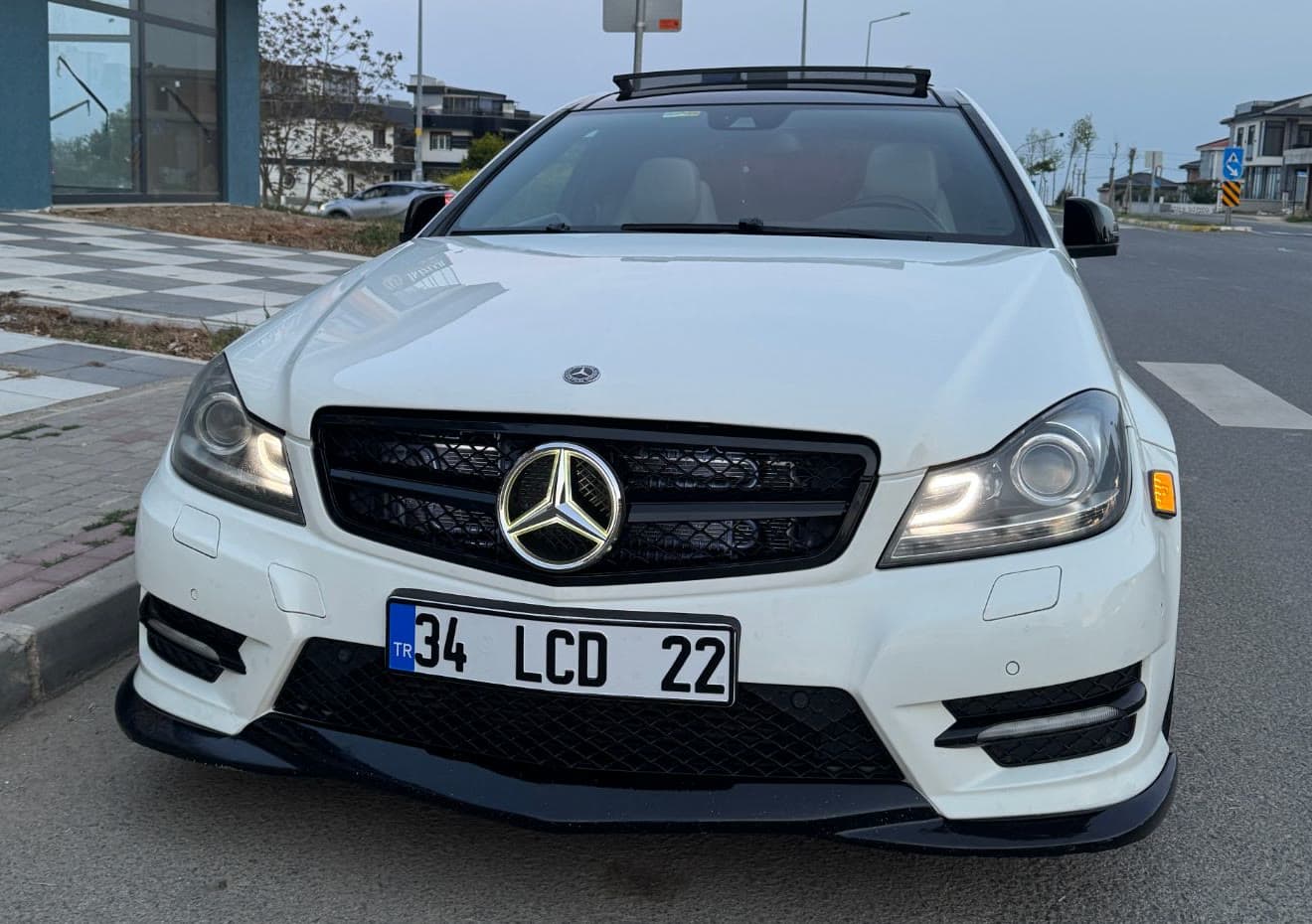
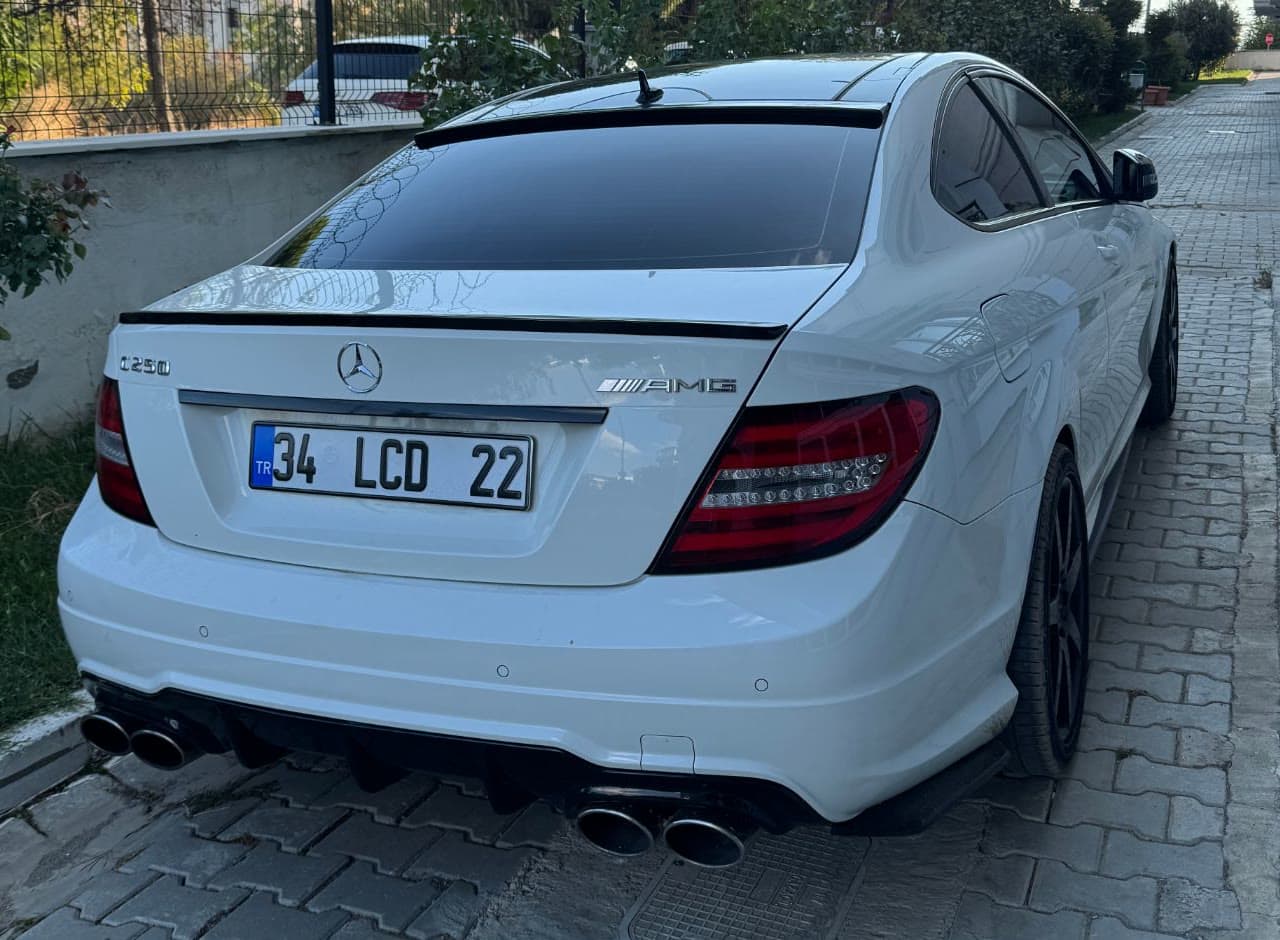
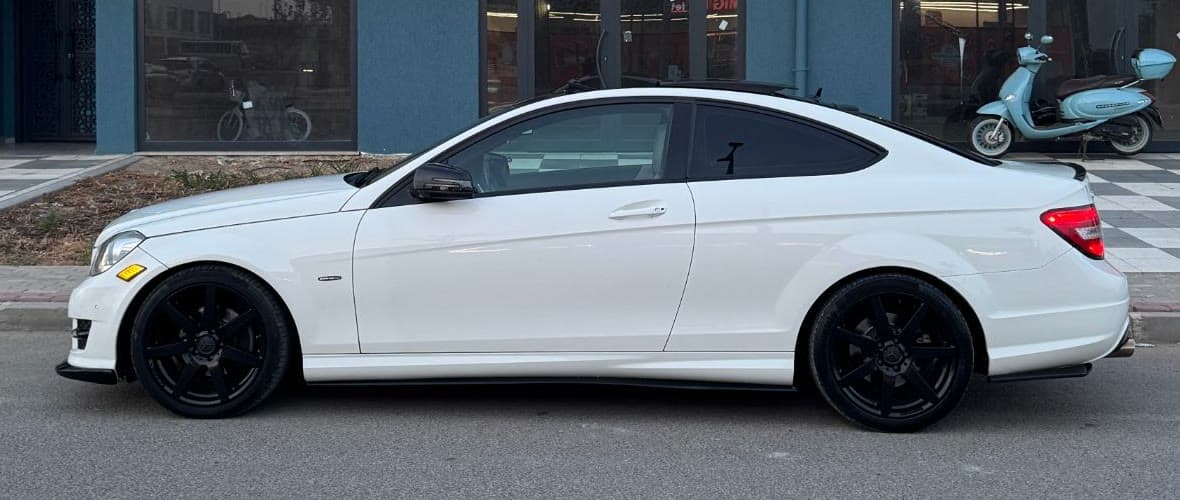
The example above is a real render of this template from these photos, made on October 20, 2026. The sample photos are real photos from a member of the TalkPix team, used with permission. This example was rendered with Seedance 2.5 on Standard. Economy uses Seedance 2.0 Fast; its output can differ from this sample.

What you need and what you get
- Photos (1 to 5 photos)
- Your car — One clear photo of the whole car, front three-quarter if you can. Another angle as the second photo keeps it exact.
- Its back (optional) — The same car from behind: the video ends on its rear.
- Its side (optional) — The same car from the side: the profile and the wheels.
- You, at the wheel — One clear, well-lit photo of your face. A second photo, waist-up, keeps you exact up close. Only for the 25 s · Gladiator version.
- The empress (optional) — A clear photo of the face of whoever plays the empress, with their OK. Skip it and our empress watches from the imperial box. Only for the 25 s · Gladiator version.
Version: 25 s · Gladiator, 14 s · Classic
- Result
- 14 or 25-second landscape (4:3) video with sound. Made with Seedance 2.5 (Standard); Seedance 2.0 Fast (Economy, eligible clips up to 15 seconds) for the Arena Drift template.
- Price
- Arena Drift costs 98 credits at 480p, 224 at 720p; 42 credits at 480p, 84 at 720p on the economy tier for 14 s; 175 credits at 480p, 400 at 720p for 25 s. Credit packs start at $5 with no subscription required, and credits never expire; see pricing.
How do I make a Colosseum car drift video with my own car?
Step 1
Open the Arena Drift template
Arena Drift opens in the AI Video studio with its scene, camera and sound already set.
Step 2
Add 1 to 5 photos
Upload your car and you, at the wheel, optionally its back and its side and the empress for the Arena Drift template. Then pick version with one tap.
Step 3
Generate
Sign in and check the displayed credit estimate (98 credits at 480p, 224 at 720p; 42 credits at 480p, 84 at 720p on the economy tier for 14 s; 175 credits at 480p, 400 at 720p for 25 s) before generating. Paid generation needs sufficient credits; buy a pack if needed. A failed render returns its generation credits. Any optional image preparation has its own displayed charge.
Step 4
Download and post
The finished Arena Drift video opens on its result page as an MP4 you download, share by link or run again with another photo.
Colosseum Car Drift questions
What is the Colosseum Car Drift trend?
Colosseum Car Drift is the Arena Drift AI Video template on TalkPix. A Colosseum car drift video: your car smashes the arena gates and drifts for the crowd. Add a car photo. You add 1 to 5 photos and the result is a 14 or 25-second landscape (4:3) video with sound.
What happens in the Arena Drift video?
The camera stands at the barrier of the Colosseum while gladiators duel on the sand. You drive your car through the wooden gates, planks flying, and spin a donut that draws the first tyre ring in the sand; the camera zooms in on you at the wheel, swings up to the empress smiling in her box and to the crowd on its feet, then whips back as the car stops. You open the driver's door, step out and make a heart with both hands for the empress: 25 seconds in one handheld 1990s camcorder take with the scene's own sound. The empress can be our own, or someone you add with a photo, in her laurel and robes. Or pick the 14-second version: your car alone charges past the chariots, kicks its rear out at the camera and ends in a burnout. Add your car from the front, and its back and side if you have them, and it keeps its own shape and plate; the 25-second version also takes a photo of your face.
How do I make a Colosseum car drift video with my own car?
Open the Arena Drift template (the Use this template button on this page, or talkpix.ai/create/ai-video?trend=arena-drift), add your car and you, at the wheel, optionally its back and its side and the empress and pick version, and press Generate. The Arena Drift video is ready on its result page as a downloadable MP4; you can leave the page while it renders.
How much does the Arena Drift template cost?
The Arena Drift template costs 98 credits at 480p, 224 at 720p; 42 credits at 480p, 84 at 720p on the economy tier for 14 s; 175 credits at 480p, 400 at 720p for 25 s. In dollars: about $4.20 for 14 s at 480p on the economy tier (42 credits at the Mini pack rate), about $7.00 for 14 s at 720p on the economy tier (84 credits at the Starter pack rate), about $8.17 for 14 s at 480p (98 credits at the Starter pack rate), about $12.50 for 25 s at 480p (175 credits at the Creator pack rate), about $16.00 for 14 s at 720p (224 credits at the Creator pack rate) and about $25.00 for 25 s at 720p (400 credits at the Pro pack rate). You buy credits in packs, not per video. Packs start at $5, and larger packs cost less per credit. The exact total is on the Generate button before anything renders, and a render that fails returns its credits. Credits never expire.
What photos do I need for Arena Drift?
Arena Drift needs 1 to 5 photos. Your car: One clear photo of the whole car, front three-quarter if you can. Another angle as the second photo keeps it exact. Its back (optional): The same car from behind: the video ends on its rear. Its side (optional): The same car from the side: the profile and the wheels. You, at the wheel: One clear, well-lit photo of your face. A second photo, waist-up, keeps you exact up close. Only for the 25 s · Gladiator version. The empress (optional): A clear photo of the face of whoever plays the empress, with their OK. Skip it and our empress watches from the imperial box. Only for the 25 s · Gladiator version. Only use photos of yourself or of people who have agreed to it.
Will my Arena Drift result match the example exactly?
No exact match is guaranteed. The example shows one real render, not a promise of identical output. AI can change faces, objects, motion or lettering. Use clear reference photos and review the downloaded result before posting.
How long is the Arena Drift video?
14 or 25 seconds, landscape (4:3), generated with sound by Seedance 2.5 (Standard); Seedance 2.0 Fast (Economy, eligible clips up to 15 seconds).
Can I post Arena Drift on TikTok, Instagram Reels or YouTube Shorts?
Yes. The Arena Drift video downloads as a file you can post anywhere. Download the file from the result page and post it from your own account; the result is AI-generated, so label it as such where a platform asks.
Do I need an app to make Arena Drift?
No. Arena Drift is made in the TalkPix web app, which runs in the browser on any phone, tablet or computer with nothing to install. You need a TalkPix account and credits; the exact cost is on the Generate button.
Is the Arena Drift example real?
Yes. It is a real render of this template, made on October 20, 2026 from the sample photos shown on this page. The sample photos are real photos from a member of the TalkPix team, used with permission. This example was rendered with Seedance 2.5 on Standard. Economy uses Seedance 2.0 Fast; its output can differ from this sample.
Can I use my Arena Drift video commercially?
Yes, when you hold the rights and consent for every photo you add and follow the TalkPix Terms and the rules of the platform you post on. Arena Drift renders are AI-generated: only use photos of yourself or of people who have agreed to it.
Tips
Roman arena car drift: photos, versions and the empress
Which photos suit the Colosseum drift?
Start with your car from the front, whole body in frame, in even daylight with the plate readable. If you have them, add the back and the side too: the car spins a donut in the sand and kicks its rear out, so extra angles help it keep its own shape as it turns. For the version where you step out at the end, add a clear, front-facing photo of your face for the driver at the wheel.
A heart for the empress or a burnout past chariots?
Pick one of two versions. In the longer one your car breaks through the wooden gates while gladiators duel, the camera finds you at the wheel and the empress in her box, and you climb out to make a heart with both hands for her. In the shorter one your car runs alone past the chariots, swings its rear toward the camera and ends in a burnout, with no driver photo needed.
Can my partner or a friend play the empress?
Yes. The empress in her laurel and robes can be our own, or you can add a photo of someone to sit in the imperial box. That turns the ending into a message: you drive your car into the Colosseum, step out in front of the cheering crowd and make a heart for your partner, a friend or anyone you want to tease or impress, then send them the clip.
Credit packs from $5 · no subscription required
More AI video trends

Car Jump AI Video
AI Video

AI Night Drive Video
AI Video

Champagne Birthday Car Backflip
AI Video

Rooftop Toy Car to Real Car Reveal
AI Video

Night Petrol Station Car Film
AI Video

AI Car Commercial
AI Video
Same theme, other studios

Car at the Manhattan Bridge
AI Image

AI Toy Car in a Blister Pack
AI Image

Modified Car Dream Build
AI Image
Browse by theme
Make Colosseum Car Drift with your photo
Arena Drift · AI Video studio · 1 to 5 photos · from 42 credits on Economy · 14 or 25-second landscape (4:3) video with sound