
Luxury Outfit Switch: AI Video Template From Your Photo
You lie on the rug of a sunlit luxury living room, seen from above, and switch into four outfits each time a table sweeps past the camera. Add 1 to 5 photos, pick look 1 and look 2 and look 3 and look 4 and the template writes the rest: the scene, the camera moves and the sound, 15 seconds in all.
- You add: 1 to 5 photos
- Result: 15-second vertical (9:16) video with sound
- Price: from 135 credits
Nothing renders and no credits are spent until you add your photo to Luxury Outfit Switch and press Generate.
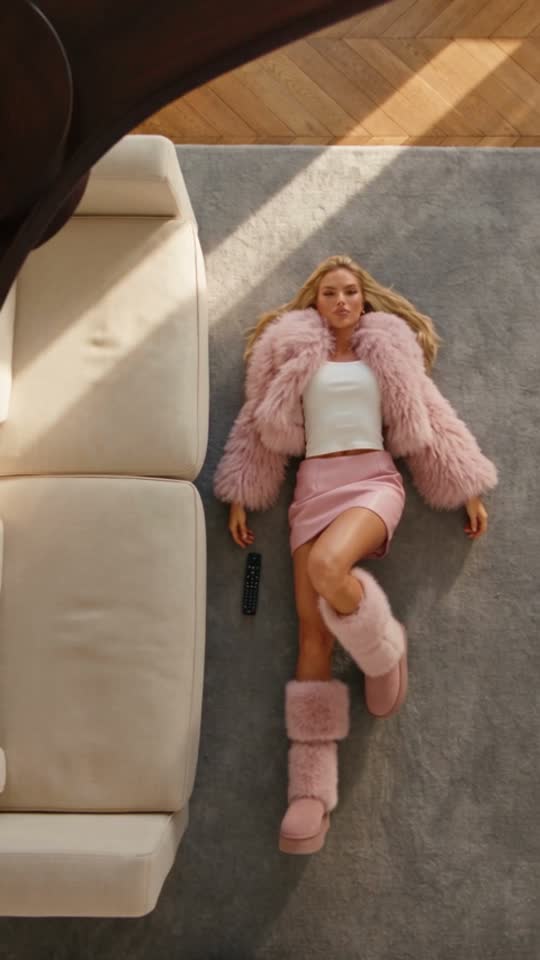
Before and after
What the Luxury Outfit Switch example was made from
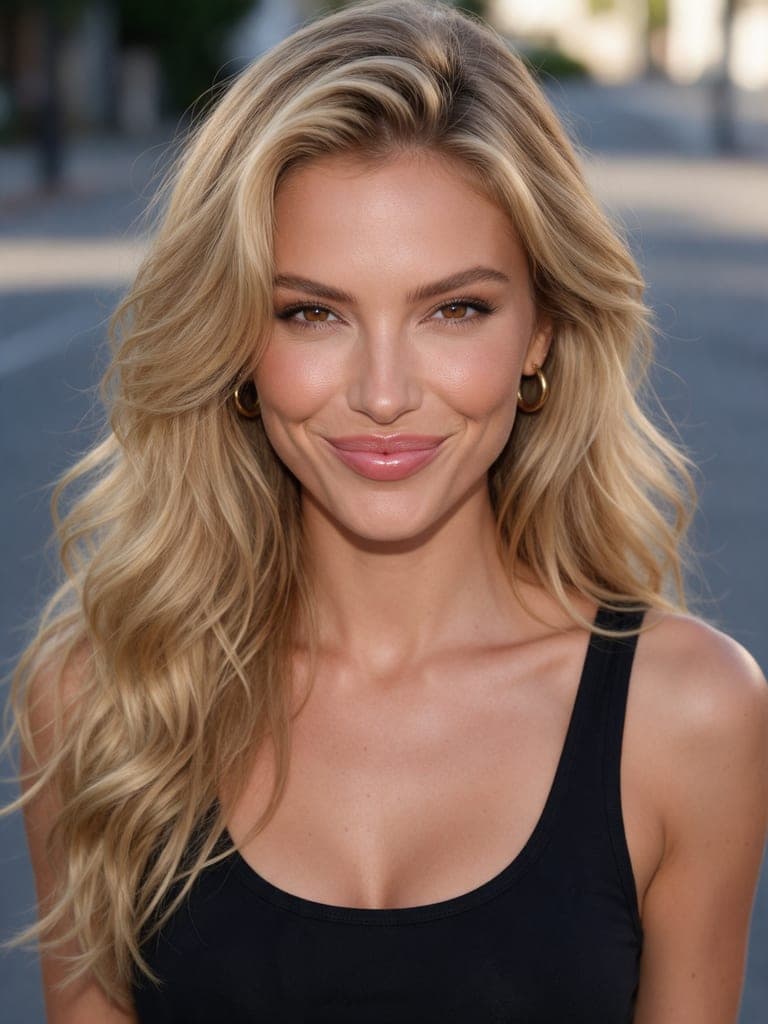
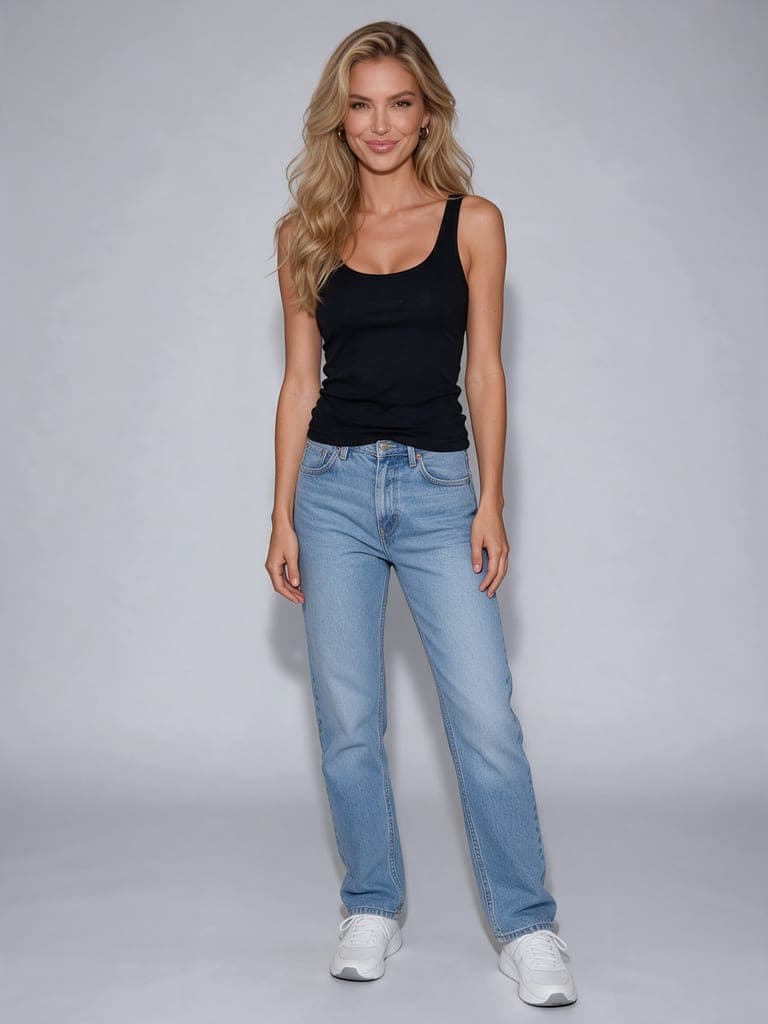
The example above is a real render of this template from these photos, made on October 5, 2026. The sample photos are AI-generated, not photos of real people.
What you need and what you get
- Photos (1 to 5 photos)
- Her photo — One clear photo of a woman, face sharp and well lit, upper body or full body, nobody else. A closer photo of her face as the second photo keeps her exact in every look.
- Your own outfit for look 1 (optional) — A photo of the whole outfit, clothes and shoes, laid out or on a hanger.
- Your own outfit for look 2 (optional) — A photo of the whole outfit, clothes and shoes, laid out or on a hanger.
- Your own outfit for look 3 (optional) — A photo of the whole outfit, clothes and shoes, laid out or on a hanger.
- Your own outfit for look 4 (optional) — A photo of the whole outfit, clothes and shoes, laid out or on a hanger.
Look 1: Grey suit, Pink fur, Black dress, Denim, Black leather, Red fur, Silver sequins, White satin, Camel trench, Lilac fur, Emerald dress, Black denim, White puffer, Black puffer, Camel coat, Leopard coat, Shearling, Red coat, Varsity, Pink tweed
Look 2: Grey suit, Pink fur, Black dress, Denim, Black leather, Red fur, Silver sequins, White satin, Camel trench, Lilac fur, Emerald dress, Black denim, White puffer, Black puffer, Camel coat, Leopard coat, Shearling, Red coat, Varsity, Pink tweed
Look 3: Grey suit, Pink fur, Black dress, Denim, Black leather, Red fur, Silver sequins, White satin, Camel trench, Lilac fur, Emerald dress, Black denim, White puffer, Black puffer, Camel coat, Leopard coat, Shearling, Red coat, Varsity, Pink tweed
Look 4: Grey suit, Pink fur, Black dress, Denim, Black leather, Red fur, Silver sequins, White satin, Camel trench, Lilac fur, Emerald dress, Black denim, White puffer, Black puffer, Camel coat, Leopard coat, Shearling, Red coat, Varsity, Pink tweed
- Result
- 15-second vertical (9:16) video with sound. Made with Seedance 2.5 for the Luxury Outfit Switch template.
- Price
- Luxury Outfit Switch costs 135 credits at 480p, 293 at 720p. Credit packs start at $5 and credits never expire; see pricing.
How to make the Luxury Outfit Switch trend
Step 1
Open the Luxury Outfit Switch template
Luxury Outfit Switch opens in the AI Video studio with its scene, camera and sound already set.
Step 2
Add 1 to 5 photos
Upload her photo, optionally your own outfit for look 1 and your own outfit for look 2 and your own outfit for look 3 and your own outfit for look 4 for the Luxury Outfit Switch template. Then pick look 1 and look 2 and look 3 and look 4 with one tap.
Step 3
Generate
The button shows what Luxury Outfit Switch costs (135 credits at 480p, 293 at 720p) before anything renders. A render that fails returns its credits.
Luxury Outfit Switch questions
How much does the Luxury Outfit Switch template cost?
The Luxury Outfit Switch template costs 135 credits at 480p, 293 at 720p. The exact total is on the Generate button before anything renders, and a render that fails returns its credits. Credit packs start at $5 and credits never expire.
What photos do I need for Luxury Outfit Switch?
Luxury Outfit Switch needs 1 to 5 photos. Her photo: One clear photo of a woman, face sharp and well lit, upper body or full body, nobody else. A closer photo of her face as the second photo keeps her exact in every look. Your own outfit for look 1 (optional): A photo of the whole outfit, clothes and shoes, laid out or on a hanger. Your own outfit for look 2 (optional): A photo of the whole outfit, clothes and shoes, laid out or on a hanger. Your own outfit for look 3 (optional): A photo of the whole outfit, clothes and shoes, laid out or on a hanger. Your own outfit for look 4 (optional): A photo of the whole outfit, clothes and shoes, laid out or on a hanger. Only use photos of yourself or of people who have agreed to it.
How long is the Luxury Outfit Switch video?
15 seconds, vertical (9:16), generated with sound by Seedance 2.5.
Is the Luxury Outfit Switch example real?
Yes. It is a real render of this template, made on October 5, 2026 from the sample photos shown on this page. The sample photos are AI-generated, not photos of real people.
More AI video trends


Make the Luxury Outfit Switch trend with your photo
Luxury Outfit Switch · AI Video studio · 1 to 5 photos · from 135 credits