
Zombie Pet AI Video: Your Dog or Cat Comes Back Turned

Make a zombie pet AI video from your photo and your pet's: you drop the gun, and its leap lands in a meadow.
2 to 3 photos · 15-second widescreen (16:9) video with sound · from 45 credits on Economy
No credits are spent until you press Generate · updated November 9, 2026
Zombie Pet AI Video at a glance
Zombie Pet AI Video is a ready-made AI Video template on TalkPix. In the studio it is called Zombie Pet. Make a zombie pet AI video from your photo and your pet's: you drop the gun, and its leap lands in a meadow. You add 2 to 3 photos and pick the crate in the barn; the template supplies the scene, the camera moves and the sound. The result is a 15-second widescreen (16:9) video with sound, made by Seedance 2.5 (Standard); Seedance 2.0 Fast (Economy, eligible clips up to 15 seconds), for 105 credits at 480p, 240 at 720p; 45 credits at 480p, 90 at 720p on the economy tier.
In Zombie Owner Pet Cure the roles flip: you are the zombie and your pet heals you. Zombie Couple Hug uses the same standoff-to-meadow cut with two people instead of a pet.
All the details
What happens in the video
In a dim, dusty barn, you kneel in tears, aiming a pistol at your pet, who has come back turned, with milky eyes and a low snarl. You let the gun fall and open your arms, and as your pet leaps toward you, the scene becomes a golden meadow. The leap lands as a laughing hug, the two of you tumble into the grass, and the 15-second film ends with your healthy, fluffy pet licking your cheek at sunset.
The Zombie Pet video is widescreen (16:9), which suits YouTube, X and landscape posts; for Reels or TikTok, crop it to 9:16 in the platform's editor or post it with bars.
| Scene or format | Zombie Pet AI Video |
|---|---|
| TalkPix template | Zombie Pet, an AI Video template on TalkPix |
| You add | 2 to 3 photos: You, Your pet, Your logo |
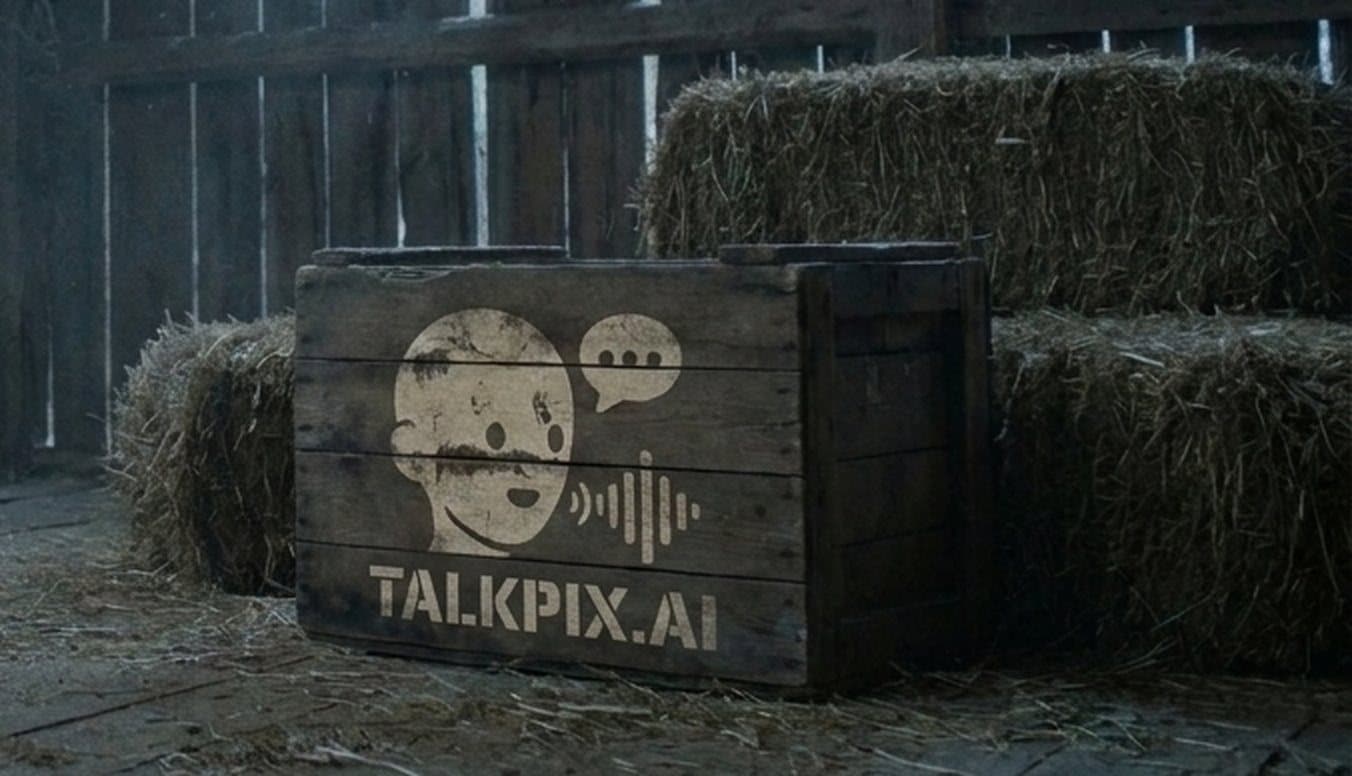
| The crate in the barn | 2 options: TalkPix, Your logo |
| Result | 15-second widescreen (16:9) video with sound |
| Sound | Yes, generated with the video |
| Model | Seedance 2.5 (Standard); Seedance 2.0 Fast (Economy, eligible clips up to 15 seconds) |
| Price | 105 credits at 480p, 240 at 720p; 45 credits at 480p, 90 at 720p on the economy tier |
| Credit value in USD | In dollars: about $4.50 for 15 s at 480p on the economy tier (45 credits at the Mini pack rate), about $7.50 for 15 s at 720p on the economy tier (90 credits at the Starter pack rate), about $8.75 for 15 s at 480p (105 credits at the Starter pack rate) and about $17.14 for 15 s at 720p (240 credits at the Creator pack rate). You buy credits in packs, not per video. Packs start at $5, and larger packs cost less per credit. |
| Opens in | AI Video studio, with the template loaded |
| Example | Real render from October 25, 2026. Some of the sample photos are real photos from a member of the TalkPix team, used with permission; the others are AI-generated. This example was rendered with Seedance 2.5 on Standard. Economy uses Seedance 2.0 Fast; its output can differ from this sample. |
| Page updated | November 9, 2026 |
Before and after
What the Zombie Pet example was made from
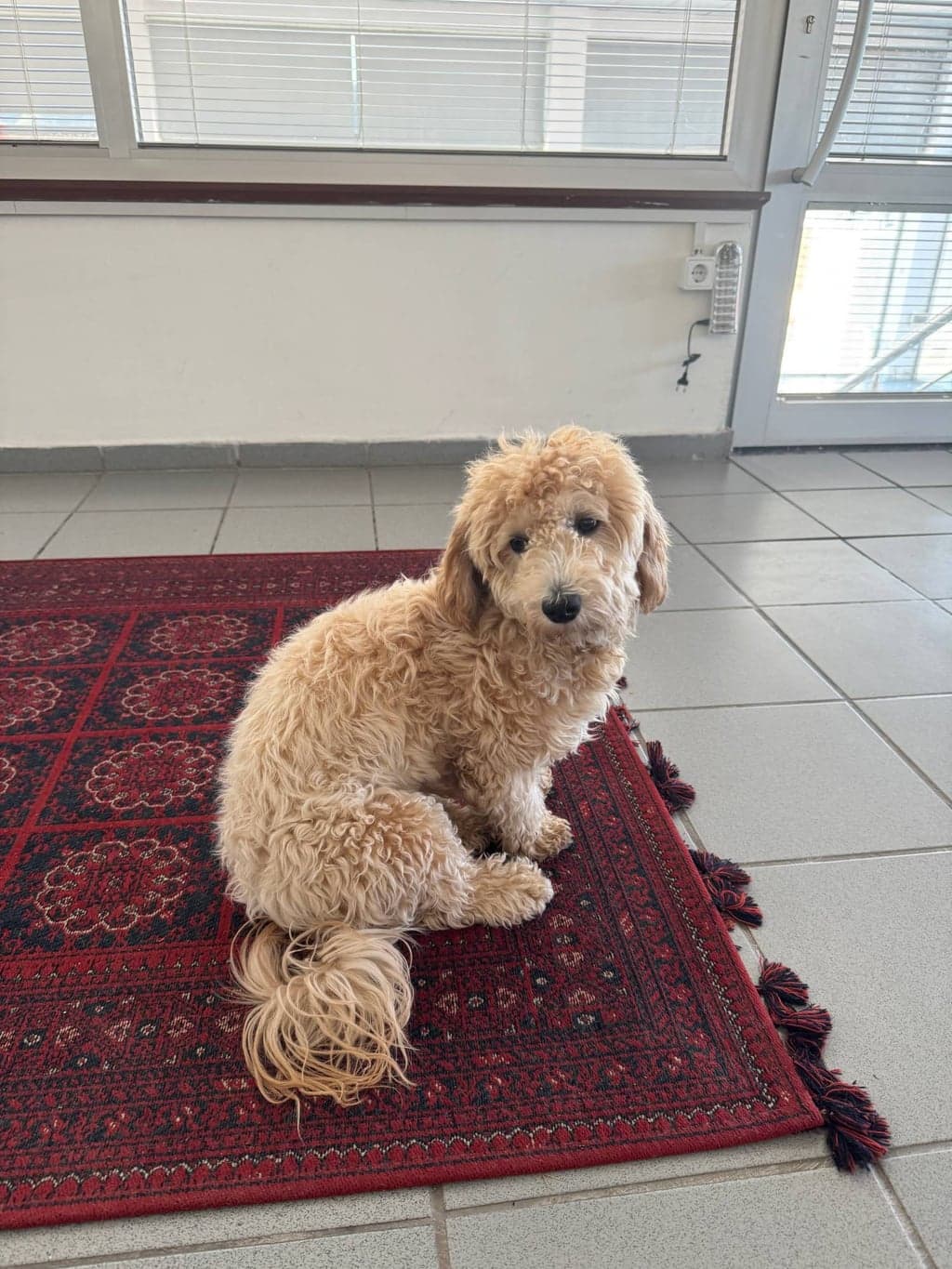
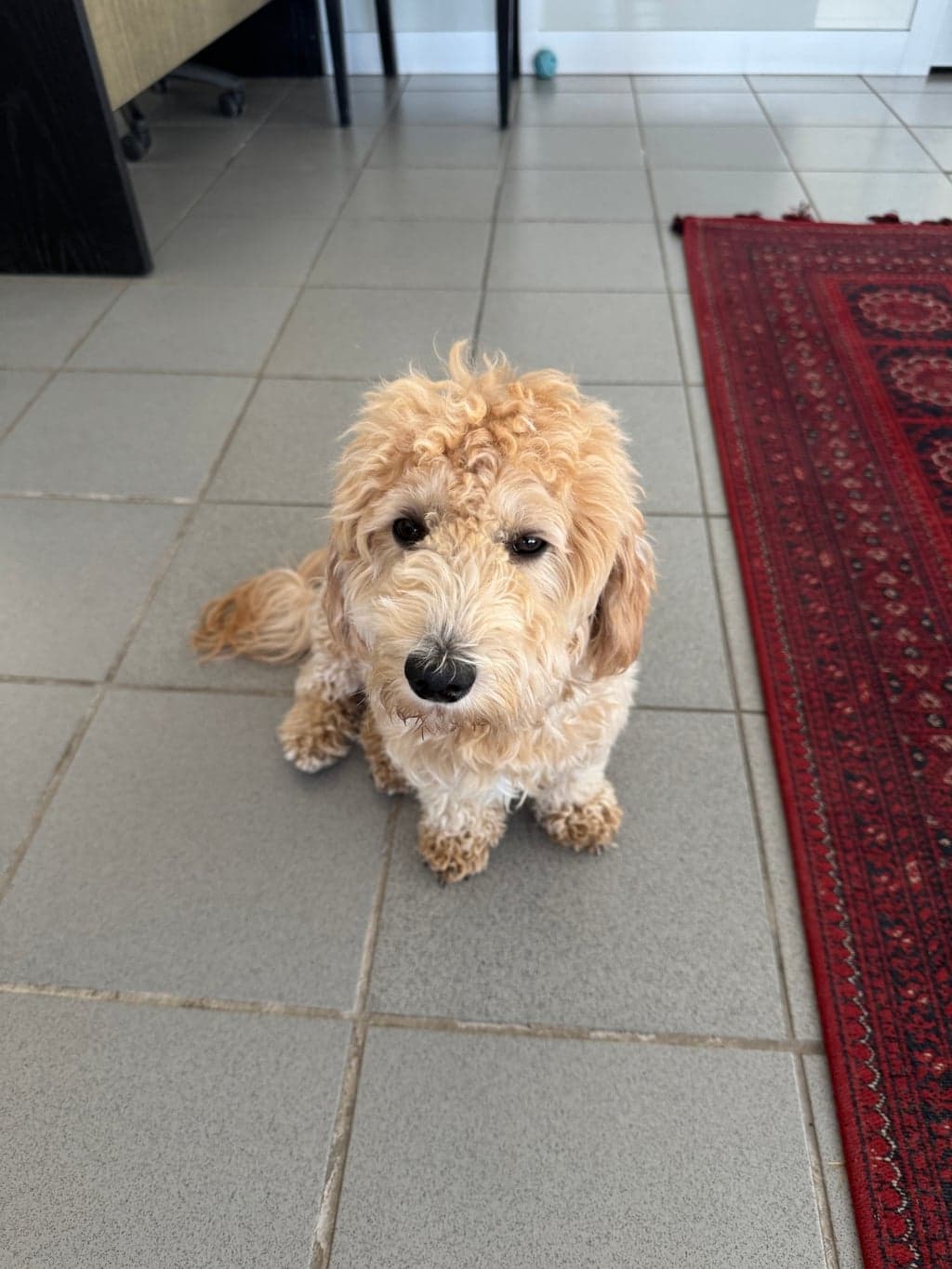
The example above is a real render of this template from these photos, made on October 25, 2026. Some of the sample photos are real photos from a member of the TalkPix team, used with permission; the others are AI-generated. This example was rendered with Seedance 2.5 on Standard. Economy uses Seedance 2.0 Fast; its output can differ from this sample.

What you need and what you get
- Photos (2 to 3 photos)
- You — One clear, well-lit photo of your face. No group shots.
- Your pet — A clear photo of just your pet, no people in the shot. A second photo from another angle helps.
- Your logo — Painted on the old crate in the barn like faded stencil paint. A logo on a plain or transparent background works best. Only for the Your logo the crate in the barn.
The crate in the barn: TalkPix, Your logo
- Result
- 15-second widescreen (16:9) video with sound. Made with Seedance 2.5 (Standard); Seedance 2.0 Fast (Economy, eligible clips up to 15 seconds) for the Zombie Pet template.
- Price
- Zombie Pet costs 105 credits at 480p, 240 at 720p; 45 credits at 480p, 90 at 720p on the economy tier. Credit packs start at $5 with no subscription required, and credits never expire; see pricing.
How do I make a zombie pet AI video with my own dog or cat?
Step 1
Open the Zombie Pet template
Zombie Pet opens in the AI Video studio with its scene, camera and sound already set.
Step 2
Add 2 to 3 photos
Upload you, your pet and your logo for the Zombie Pet template. Then pick the crate in the barn with one tap.
Step 3
Generate
Sign in and check the displayed credit estimate (105 credits at 480p, 240 at 720p; 45 credits at 480p, 90 at 720p on the economy tier) before generating. Paid generation needs sufficient credits; buy a pack if needed. A failed render returns its generation credits. Any optional image preparation has its own displayed charge.
Step 4
Download and post
The finished Zombie Pet video opens on its result page as an MP4 you download, share by link or run again with another photo.
Zombie Pet AI Video questions
What is the Zombie Pet AI Video trend?
Zombie Pet AI Video is the Zombie Pet AI Video template on TalkPix. Make a zombie pet AI video from your photo and your pet's: you drop the gun, and its leap lands in a meadow. You add 2 to 3 photos and the result is a 15-second widescreen (16:9) video with sound.
What happens in the Zombie Pet video?
In a dim, dusty barn, you kneel in tears, aiming a pistol at your pet, who has come back turned, with milky eyes and a low snarl. You let the gun fall and open your arms, and as your pet leaps toward you, the scene becomes a golden meadow. The leap lands as a laughing hug, the two of you tumble into the grass, and the 15-second film ends with your healthy, fluffy pet licking your cheek at sunset.
How do I make a zombie pet AI video with my own dog or cat?
Open the Zombie Pet template (the Use this template button on this page, or talkpix.ai/create/ai-video?trend=zombie-pet), add you, your pet and your logo and pick the crate in the barn, and press Generate. The Zombie Pet video is ready on its result page as a downloadable MP4; you can leave the page while it renders.
How much does the Zombie Pet template cost?
The Zombie Pet template costs 105 credits at 480p, 240 at 720p; 45 credits at 480p, 90 at 720p on the economy tier. In dollars: about $4.50 for 15 s at 480p on the economy tier (45 credits at the Mini pack rate), about $7.50 for 15 s at 720p on the economy tier (90 credits at the Starter pack rate), about $8.75 for 15 s at 480p (105 credits at the Starter pack rate) and about $17.14 for 15 s at 720p (240 credits at the Creator pack rate). You buy credits in packs, not per video. Packs start at $5, and larger packs cost less per credit. The exact total is on the Generate button before anything renders, and a render that fails returns its credits. Credits never expire.
What photos do I need for Zombie Pet?
Zombie Pet needs 2 to 3 photos. You: One clear, well-lit photo of your face. No group shots. Your pet: A clear photo of just your pet, no people in the shot. A second photo from another angle helps. Your logo: Painted on the old crate in the barn like faded stencil paint. A logo on a plain or transparent background works best. Only for the Your logo the crate in the barn. Only use photos of yourself or of people who have agreed to it.
Will my Zombie Pet result match the example exactly?
No exact match is guaranteed. The example shows one real render, not a promise of identical output. AI can change faces, objects, motion or lettering. Use clear reference photos and review the downloaded result before posting.
How long is the Zombie Pet video?
15 seconds, widescreen (16:9), generated with sound by Seedance 2.5 (Standard); Seedance 2.0 Fast (Economy, eligible clips up to 15 seconds).
Can I post Zombie Pet on TikTok, Instagram Reels or YouTube Shorts?
Yes. The Zombie Pet video is widescreen (16:9), which suits YouTube, X and landscape posts; for Reels or TikTok, crop it to 9:16 in the platform's editor or post it with bars. Download the file from the result page and post it from your own account; the result is AI-generated, so label it as such where a platform asks.
Do I need an app to make Zombie Pet?
No. Zombie Pet is made in the TalkPix web app, which runs in the browser on any phone, tablet or computer with nothing to install. You need a TalkPix account and credits; the exact cost is on the Generate button.
Is the Zombie Pet example real?
Yes. It is a real render of this template, made on October 25, 2026 from the sample photos shown on this page. Some of the sample photos are real photos from a member of the TalkPix team, used with permission; the others are AI-generated. This example was rendered with Seedance 2.5 on Standard. Economy uses Seedance 2.0 Fast; its output can differ from this sample.
Can I use my Zombie Pet video commercially?
Yes, when you hold the rights and consent for every photo you add and follow the TalkPix Terms and the rules of the platform you post on. Zombie Pet renders are AI-generated: only use photos of yourself or of people who have agreed to it.
Guide
How to make a zombie dog AI video with your own pet
One film, two halves: a tearful standoff in a dim barn, then a cut to a sunlit meadow where your pet lands healthy in your arms. Want the version with two people? See Zombie Couple Hug.
Which photos work best for the zombie pet trend?
Upload one clear photo of yourself, face fully visible and evenly lit, since you appear kneeling in tears and then laughing in the grass. For your dog or cat, pick a sharp shot where the eyes and whole face show: the film turns those eyes milky in the barn, then shows your pet healthy again at sunset. A photo that shows the coat well helps the fluffy, healthy ending read as your pet.
Does the zombie cat AI trend work too?
Yes. The pet slot takes a cat as well as a dog, and the scene stays the same: your cat comes back turned with milky eyes and a low snarl, you let the gun fall, and its leap toward you becomes a tumble in the meadow that ends with a lick on your cheek. Use a photo where the cat faces the camera, not one curled up asleep.
Can I put my shop or shelter logo on the barn crate?
The crate in the barn shows either the TalkPix mark or a logo you upload. Groomers, pet shops, rescues and vets can place their own logo there, so the brand sits inside the standoff before the meadow reunion. For a pet that heals its zombie owner instead, try Zombie Owner Pet Cure, where the roles are reversed.
Credit packs from $5 · no subscription required
More AI video trends

Zombie Owner Pet Cure
AI Video

Paris Luxury Product Ad
AI Video

Pet Avalanche Rescue
AI Video

Four Seasons Pet Walk
AI Video

Knight Cat or Dog Sword Swap
AI Video

Cliff Kiss and Push
AI Video
Same theme, other studios

Car at the Manhattan Bridge
AI Image

Royal Pet Portrait
AI Image

Talking Pet Dinner Complaint
Talking Photo
Browse by theme
Make Zombie Pet AI Video with your photo
Zombie Pet · AI Video studio · 2 to 3 photos · from 45 credits on Economy · 15-second widescreen (16:9) video with sound