
Faceless Video Generator
Run a channel without ever filming yourself. Instead of stock footage over a voiceover, TalkPix gives you a consistent AI presenter who fronts every post — same face, same voice, every episode.
Credit packs from $5 · payment before generation · no subscription required
A presenter who isn't you
AI voice · 720p
Real examples
See generated videos before you start. View.
No watermark
Paid exports are clean and ready to download.
Commercial use
Subject to your input rights and our Terms.
Refund unused credits
Failed renders auto-refund too.
Stripe checkout
Secure USD card payments.
Use cases
Who runs faceless channels
Privacy-first creators
Publish without putting your own face, home, or family on a public feed — the presenter carries the channel instead.
Niche information channels
Finance, tech, history, and health explainers work as talking-head content, but only if the host is the same person each time.
Camera-shy experts
If you know the subject but hate filming, write the script and let a presenter deliver it.
Daily posting schedules
Filming is the bottleneck in a daily format. Writing is not — so the schedule stops depending on lighting, setup, and retakes.
Teams without a presenter
Small companies rarely have someone who wants to be the face of the brand. A saved persona removes that dependency.
Multi-language channels
Deliver the same script in another language without hiring a second presenter.
Stock-footage faceless content has stopped working
The classic faceless format — a robotic voiceover over stock clips and subtitles — is now the single most duplicated thing on short-form feeds, and viewers scroll past it. What still performs is a person talking to camera. The point of a faceless channel was never to avoid a face on screen; it was to avoid putting your face on screen. A saved AI presenter solves the second problem without accepting the first.
Three output types from one presenter
A channel needs more than one shape of post, and all three come from the same saved identity, so the host never changes between them.
- Talking video — your script, lip-synced, for explainers and episodes (1 credit per second at 720p)
- Motion clip — a short native-audio scene with real camera movement, for hooks and B-roll (Seedance 2.0 Mini, 3 credits per second at 720p)
- Image — Seedream 5 Pro 2K thumbnails, feed posts, and carousel frames of the same presenter (7 credits)
The script problem is the real bottleneck
Faceless channels usually stall on 'what do I post tomorrow', not on rendering. The planner takes the presenter you saved, plus a platform, a goal, a content pillar, and a topic, and returns five specific ideas in that host's voice. Expand one and you get a full scenario: the opening hook, the shot description, second-by-second beats with spoken lines, the caption in short and long forms, hashtags, a cover-text suggestion, and alt text.
- Five ideas or one full scenario is 1 credit
- The planner reads your last twenty plans and avoids repeating them
- Every scenario ships with an AI-disclosure line to publish alongside the post
What faceless does not mean
It does not mean anonymous to the platform, and it does not mean undisclosed. Short-form platforms increasingly require realistic AI-generated people to be labelled, and passing an AI presenter off as a real person is both against those rules and a bad long-term bet with an audience. Publish the disclosure line, keep the persona a character rather than an impersonation of a real individual, and the format is durable.
Examples
Faceless formats that still have a face
Talking-head episode
AI voice · 720p
Straight-to-camera explainer
AI voice · 720p
The same host in another language
AI voice · 720p
Any photo
Photos you can bring to life
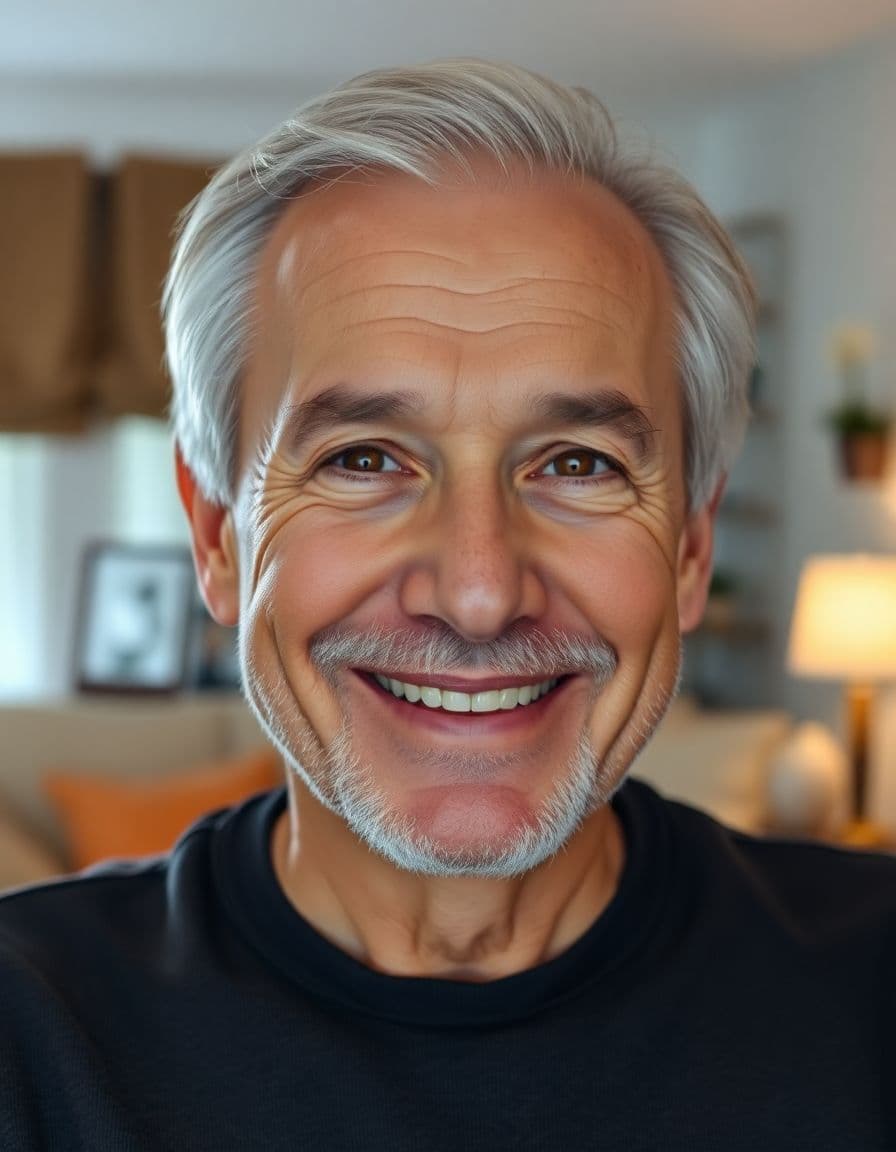
A professional headshot, an everyday selfie, a family photo, even a pet or an old portrait — upload it and TalkPix makes it talk.





How it works
Starting a faceless channel
Step 1
Design the host
Pick the niche and audience, then describe the presenter — looks, voice, speaking style, and the phrases they repeat. Generate the portrait or supply one you're allowed to use.
Step 2
Fill the queue
Give the planner a platform, a goal, and a topic. It returns five ideas written for that host; expand the ones worth making into full scenarios with scripts and captions.
Step 3
Render and publish
Turn each scenario into a talking video, a motion clip, or an image, download the MP4 or JPG, and post it with the disclosure line.
Example campaigns
Three buyer-ready ways to use TalkPix
These are example workflows, not customer claims or invented reviews.
Etsy seller example
Setup: Upload one product photo and write a short gift-angle hook.
Output: Create a 9:16 talking product ad for an Etsy listing, Reel, or launch post.
Next step: Test a gift idea angle against a review-style angle.
Example campaign, not a testimonial.
Shopify store example
Setup: Start with the hero product image and three buyer objections.
Output: Generate short creator-style ads for TikTok, Reels, Facebook, or product pages.
Next step: Run the best hook as a retargeting creative.
Example campaign, not a testimonial.
Creator example
Setup: Prepare a portrait with a sponsor line, intro, or call-to-action, then check out before generation.
Output: Create a clean 720p MP4 with no watermark and no subscription required.
Next step: Use the $5 Mini pack when you are ready to make more.
Example campaign, not a testimonial.
Customer reviews
Rated 4.9/5 across 10 reviews
Every rating is tied to a customer's completed video. Quotes are admin-approved and shown only with permission.
“Very good and realistic singing video”Michael
“Best lip sync ever! I like it too much”TalkPix customer
“Realistic lip sync! Best I have ever used until now”TalkPix customer
“Realistin lip sync tool, I like this!”TalkPix customer
“It turn out 85% real, & im happy”TalkPix customer
Pricing
Credit packs from $5 — a 20-second episode is 20 credits
Prepaid credits, no subscription required, and nothing generates until the balance covers it. Credits never expire.
Need more after your first video? Your first standard credit pack is 15% off, applied automatically at checkout within your first 24 hours.
No subscription required · Credits never expire · Buy whenever you need
Studio-specific credit rates · Talking Photo ≈10.0¢ per second at 720p
Mini — $5 USD adds 50 credits. This pack makes about:
~50s
Talking video
6-25s
AI video · 720p
2-8 cr/s by model
~16
Product photos
~5
Product ad videos
10s each at 720p
Typical costs: talking video 1 credit/second at 720p · Seedance 2.0 Mini motion clip 3 credits/second at 720p · Seedream 5 Pro 2K image 7 credits · five post ideas or one scenario 1 credit.
Specifications
TalkPix at a glance
| Pricing model | One-time credit packs. No subscription is required. |
|---|---|
| Starting price | $1.99 for a first Talking Photo — new customers, typed script, up to 20 seconds at 720p. Reusable credit packs start at $5 (Mini) and cover every studio. |
| Credit cost per generation | 1 credit = 1 second of Talking Photo video at 720p. 1080p costs 2x that per second, and the other studios (AI Video, Product Photo, Song, voice cloning) are priced per job. The exact credit cost is shown before you generate. |
| Do credits expire? | No. Purchased credits never expire. |
| Free tier | None. Payment is confirmed before anything is rendered. |
| What it animates | A photo you upload — a person, a pet, or a product. |
| Ways to supply the words | Type a script, upload an audio file, or record your voice. |
| Output | A downloadable MP4 video. |
| Maximum length | 5 minutes per video. |
| Resolutions | 720p and 1080p |
| Voices | 30 built-in voices. |
| Languages | 10 languages. |
| Commercial use | Allowed, when you hold the rights and consent for every input you upload. |
| How long uploads are kept | 30 days. |
| Platform | Browser-based web app. There is no iOS or Android app. |
Specifications verified 18 September 2026.
FAQ
Common questions
What is a faceless video generator?
It is a tool for publishing video without filming yourself. TalkPix does it with a saved AI presenter who delivers your script on camera, rather than with stock footage under a voiceover.
Is faceless content allowed on YouTube and TikTok?
Yes — faceless channels are common. What platforms do require is labelling realistic AI-generated people, so publish the disclosure line that comes with each plan and check the current policy where you post, since these rules change.
Will the presenter look the same in every video?
That is the point of saving an identity. The persona keeps its appearance description and up to four reference images, and every render reads from that record instead of a fresh prompt.
Can I use my own voice instead of an AI voice?
Yes. You can upload or record audio and have the presenter lip-sync it, and TalkPix's Voice Cloning studio can produce speech in a clone of your own voice for the presenter to deliver.
How much does a faceless video cost?
Credit packs start at $5 for 50 credits and never expire. A 20-second talking episode at 720p is 20 credits, a 5-second motion clip on Seedance 2.0 Mini is 15 credits, and a Seedream 5 Pro 2K thumbnail is 7 credits.
Do I need a subscription?
No. TalkPix sells prepaid credit packs, so you pay per generation and nothing renders until your balance covers it.
Ready
Faceless Video Generator
Build the host once, and the only thing standing between you and tomorrow's post is the script.
Guides
Learn more before you start
Open the AI Influencer studio
Save a presenter, plan episodes, and render them.
Read the guideVirtual influencer creator
How the saved persona keeps the same face across posts.
Read the guideAI voice cloning
Let the presenter speak in a clone of your own voice.
Read the guideStart a faceless YouTube channel with AI
Formats, workflow, and why stock-footage faceless stopped working.
Read the guideHow to create an AI influencer
Designing the host and keeping the face consistent.
Read the guideMore tools