
Put a Ring on It: Make Your Dog Lead the Backup Dancers
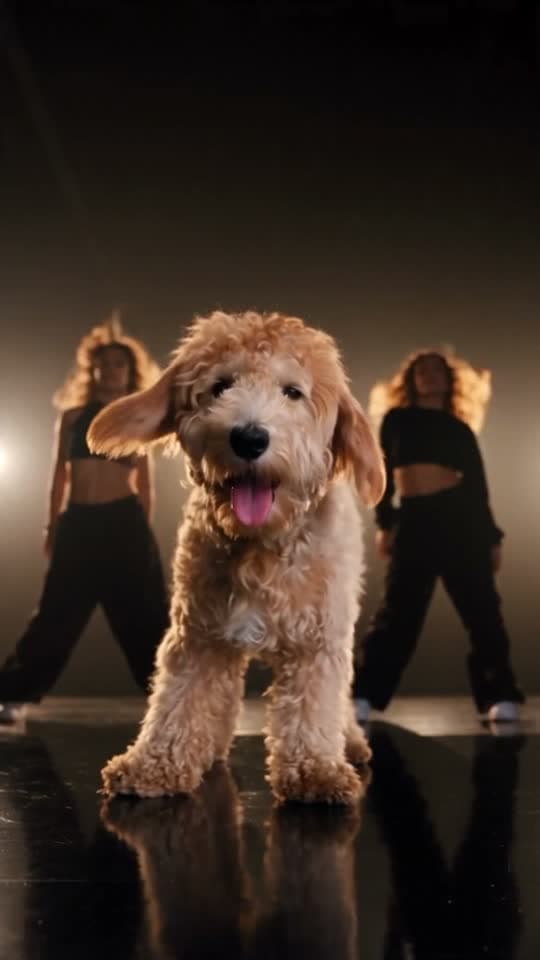
The viral dog dance to the song: your dog leads the backup dancers with a grin, an ear flip and a twirl. Add 1 to 2 photos and the template writes the rest: the scene, the camera moves and the sound, 19 seconds in all.
- You add: 1 to 2 photos
- Result: 19-second vertical (9:16) video with sound
- Price: from 171 credits
Nothing renders and no credits are spent until you add your photo to Put a Ring on It and press Generate.
Example rendered October 13, 2026 · page updated October 13, 2026
In short
Put a Ring on It at a glance
Put a Ring on It is a ready-made AI Video template on TalkPix. Your dog takes centre stage in a dark dance studio and leads the backup dancers to the viral song: the spin, the grin, the ear flip and the twirl. You add 1 to 2 photos and, if you like, change the place (the example's words are already filled in); the template supplies the scene, the camera moves and the sound. The result is a 19-second vertical (9:16) video with sound, made by Seedance 2.5, for 171 credits at 480p, 371 at 720p.
What happens in the video
Your dog stands centre stage in a dark dance studio, its reflection in the glossy black floor, with two backup dancers in all-black behind it, and the viral song plays. It turns round to face the camera with a big tongue-out grin, bobs to the beat, tilts its head this way and that, then tosses its head so its ears fly like a hair flip while the dancers whip their hair. It bounces on the beat as the dancers wave their arms behind it, turns a full circle, twirls once more and ends the 19-second video grinning into the lens. Add your friends as the dancers or set it anywhere you describe.
The Put a Ring on It video is vertical (9:16), the format TikTok, Instagram Reels and YouTube Shorts use, so the file posts without cropping.
| Trend | Put a Ring on It, an AI Video template on TalkPix |
|---|---|
| You add | 1 to 2 photos: Your dog, Backup dancers (optional) |
| Result | 19-second vertical (9:16) video with sound |
| Sound | Yes, the trend's own soundtrack, laid over the video |
| Model | Seedance 2.5 |
| Price | 171 credits at 480p, 371 at 720p |
| In US dollars | About $12.21 at 480p (171 credits at the Creator pack rate) and about $23.19 at 720p (371 credits at the Pro pack rate). Larger packs cost less per credit; packs start at $5. |
| Opens in | AI Video studio, with the template loaded |
| Example | Real render from October 13, 2026. The sample photos are real photos from a member of the TalkPix team, used with permission. |
| Page updated | October 13, 2026 |
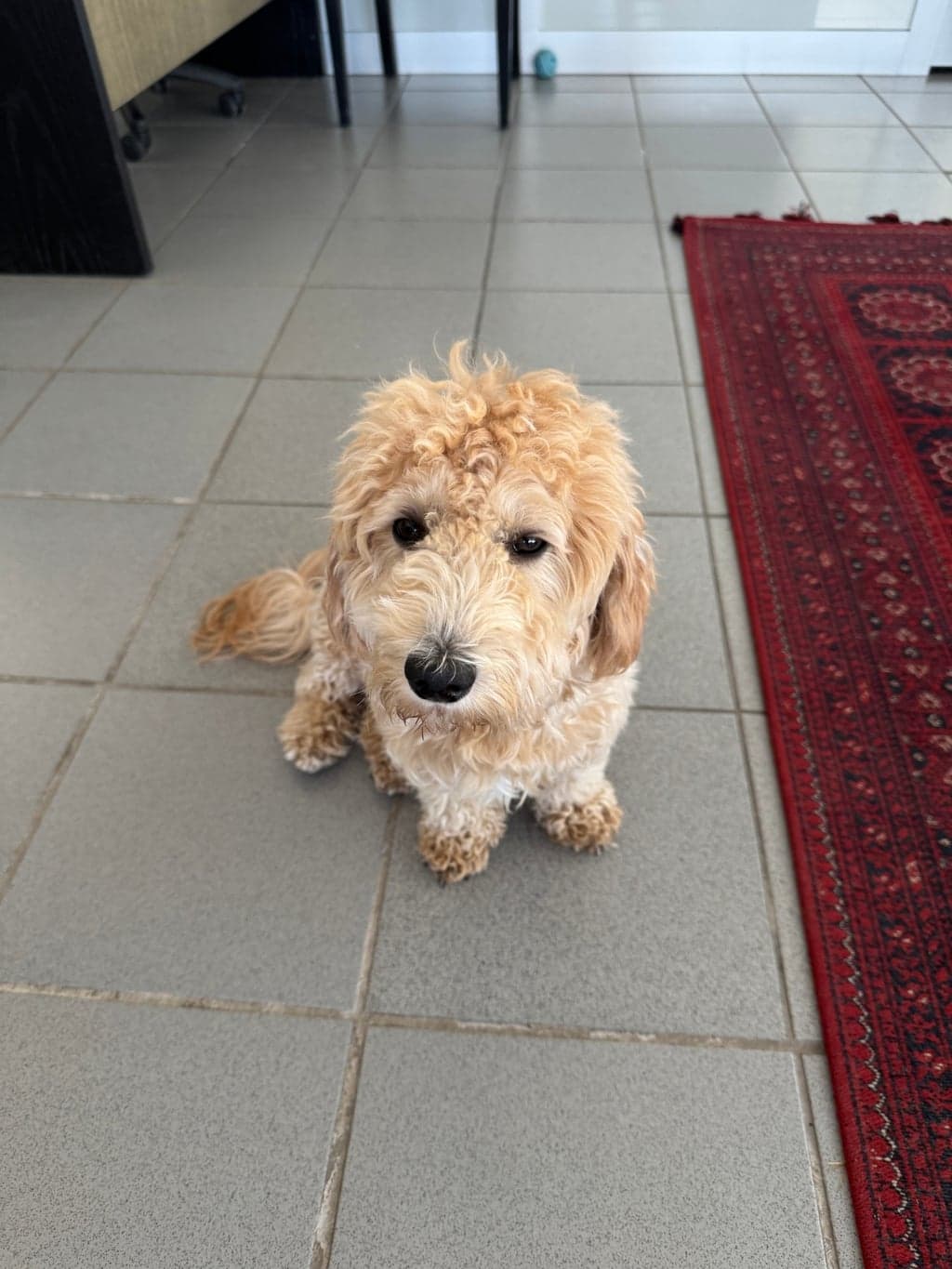
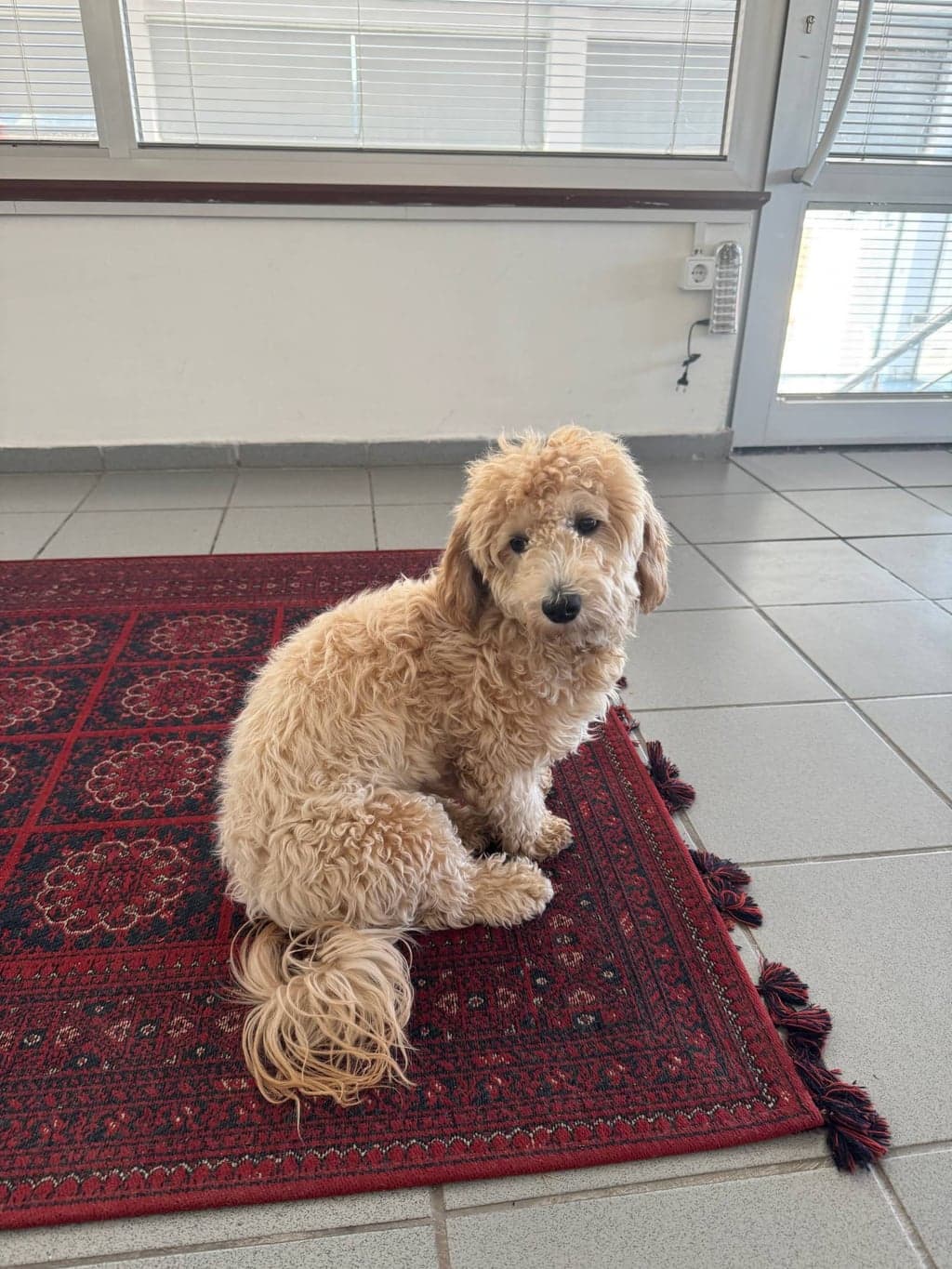
Before and after
What the Put a Ring on It example was made from
The example above is a real render of this template from these photos, made on October 13, 2026. The sample photos are real photos from a member of the TalkPix team, used with permission.
What you need and what you get
- Photos (1 to 2 photos)
- Your dog — A clear photo of just your dog from the front, face and whole body visible, no people. Another angle as the second photo keeps it exact.
- Backup dancers (optional) — A photo of the one or two people who dance behind your dog, faces clear, with their OK; a second person can come as the second photo. Skip it and our two dancers take the stage.
- Result
- 19-second vertical (9:16) video with sound. Made with Seedance 2.5 for the Put a Ring on It template.
- Price
- Put a Ring on It costs 171 credits at 480p, 371 at 720p. Credit packs start at $5 and credits never expire; see pricing.
How to make the Put a Ring on It trend
Step 1
Open the Put a Ring on It template
Put a Ring on It opens in the AI Video studio with its scene, camera and sound already set.
Step 2
Add 1 to 2 photos
Upload your dog, optionally backup dancers for the Put a Ring on It template. The place is already filled in with the example's words; type your own if you want.
Step 3
Generate
The button shows what Put a Ring on It costs (171 credits at 480p, 371 at 720p) before anything renders. A render that fails returns its credits.
Step 4
Download and post
The finished Put a Ring on It video opens on its result page as an MP4 you download, share by link or run again with another photo.
Put a Ring on It questions
What is the Put a Ring on It trend?
Put a Ring on It is one of the AI Video trend templates on TalkPix: a fixed scene you put your own photo into. Your dog takes centre stage in a dark dance studio and leads the backup dancers to the viral song: the spin, the grin, the ear flip and the twirl. You add 1 to 2 photos and the result is a 19-second vertical (9:16) video with sound.
What happens in the Put a Ring on It video?
Your dog stands centre stage in a dark dance studio, its reflection in the glossy black floor, with two backup dancers in all-black behind it, and the viral song plays. It turns round to face the camera with a big tongue-out grin, bobs to the beat, tilts its head this way and that, then tosses its head so its ears fly like a hair flip while the dancers whip their hair. It bounces on the beat as the dancers wave their arms behind it, turns a full circle, twirls once more and ends the 19-second video grinning into the lens. Add your friends as the dancers or set it anywhere you describe.
How do I make the Put a Ring on It trend with my own photo?
Open the Put a Ring on It template (the Use this template button on this page, or talkpix.ai/create/ai-video?trend=put-a-ring-on-it), add your dog, optionally backup dancers and, if you like, change the place (the example's words are already filled in), and press Generate. The Put a Ring on It video is ready on its result page as a downloadable MP4; you can leave the page while it renders.
How much does the Put a Ring on It template cost?
The Put a Ring on It template costs 171 credits at 480p, 371 at 720p. About $12.21 at 480p (171 credits at the Creator pack rate) and about $23.19 at 720p (371 credits at the Pro pack rate). Larger packs cost less per credit; packs start at $5. The exact total is on the Generate button before anything renders, and a render that fails returns its credits. Credits never expire.
What photos do I need for Put a Ring on It?
Put a Ring on It needs 1 to 2 photos. Your dog: A clear photo of just your dog from the front, face and whole body visible, no people. Another angle as the second photo keeps it exact. Backup dancers (optional): A photo of the one or two people who dance behind your dog, faces clear, with their OK; a second person can come as the second photo. Skip it and our two dancers take the stage. Only use photos of yourself or of people who have agreed to it.
Can I change the words in Put a Ring on It?
Yes. The place (up to 160 characters) is typed in the studio before you press Generate, and comes filled in with the example's words, so leaving it alone gives you the version on this page. The words are drawn into the scene by the video model, so short lines in plain language come out most legible.
How long is the Put a Ring on It video?
19 seconds, vertical (9:16), made by Seedance 2.5, with the trend's own soundtrack laid over it.
Can I post Put a Ring on It on TikTok, Instagram Reels or YouTube Shorts?
Yes. The Put a Ring on It video is vertical (9:16), the format TikTok, Instagram Reels and YouTube Shorts use, so the file posts without cropping. Download the file from the result page and post it from your own account; the result is AI-generated, so label it as such where a platform asks.
Do I need an app to make Put a Ring on It?
No. Put a Ring on It is made in the TalkPix web app, which runs in the browser on any phone, tablet or computer with nothing to install. You need a TalkPix account and credits; the exact cost is on the Generate button.
Is the Put a Ring on It example real?
Yes. It is a real render of this template, made on October 13, 2026 from the sample photos shown on this page. The sample photos are real photos from a member of the TalkPix team, used with permission.
Can I use my Put a Ring on It video commercially?
For posting, yes: share it on TikTok, Reels, Shorts or anywhere else, following the TalkPix Terms and the rules of the platform. For ads or anything you sell, replace its soundtrack, which comes from the original trend, with music you hold a licence for. Put a Ring on It renders are AI-generated: only use photos you have the right to use.
More AI video trends
Orange Booth Duo
AI Video
My Dog Has Moves
AI Video
Parking Lot Vibe
AI Video
Pet Road Trip
AI Video
The Handshake
AI Video
3AM Panda CCTV
AI Video
Same theme, other studios
Browse by theme
Make the Put a Ring on It trend with your photo
Put a Ring on It · AI Video studio · 1 to 2 photos · from 171 credits · 19-second vertical (9:16) video with sound